 Domains SearchSearch available domain names and claim yours in just a few clicks.
 .GH DomainsFind and register a trusted .gh domain for your business or idea.
 Web HostingAffordable web hosting solutions designed for performance, uptime, and scalability.
 cPanel HostingManage your website without the stress. cPanel hosting gives you everything in one place.
 Reseller HostingCreate, manage, and grow your hosting clients using reliable reseller hosting tools.
 Windows HostingWindows hosting that works smoothly with Microsoft frameworks and applications.
 Email HostingProfessional email hosting that keeps your business communication reliable and secure.
 WordPress HostingFast and secure WordPress hosting optimized for smooth performance and easy management.
 Affiliate ProgramEarn commissions by referring customers to our hosting and domain services.
 .COM Domains
 All DomainsFind the right Ghana domain for your brand and lock it in fast.
 Domain TransferMove your domain to us with a smooth, secure transfer process.
 Whois LookupCheck domain ownership and registration details instantly with our WHOIS lookup.
 SSL CertificatesSecure your website and protect your visitors with trusted SSL certificates.
 VPS HostingUpgrade to VPS hosting today and enjoy better speed, uptime, and flexibility.
 Managed VPSManaged VPS for businesses and developers who want full control without server management worries.
 Dedicated ServersGet maximum speed and reliability with dedicated servers built for serious websites and apps.
 AI Website BuilderStart your website today with our AI builder and go live in minutes.
 Online ShopStart selling online today with your own professional online shop.
 Web Design ServiceProfessional web design services that make your brand stand out online.
 Local SEO
 BlogHelpful articles, tutorials, and updates for building your online presence.
 Contact UsNeed help or more information? Connect with us anytime.
A VPS can genuinely do a lot more than just host a website.
Once you have root access to your own virtual server, you’ve got an environment where you can install software, run applications, host databases, deploy websites, and build personal or business projects that would never fit comfortably on shared hosting.
The VPS projects below range from beginner friendly deployments you can get running in an afternoon, to more technical self-hosted applications that take a bit more patience to set up properly.
Requirements vary quite a bit across this list, so it’s worth checking RAM, CPU, storage and operating system requirements for whichever project catches your eye before picking a VPS size to run it on.
Whether you’re looking to replace a paid tool with something self-hosted, learn server administration hands-on, or build something genuinely new, there’s a project on this list worth trying.
Most of these VPS projects also build on each other in practice.
Setting up a reverse proxy for one project makes the next one easier to add, and a notification service you build for project eighteen can end up getting reused across several of the others.
Treat this less as a checklist to complete and more as a set of building blocks you can combine as your skills and needs grow.
20 VPS Projects You Can Build and Host Yourself
1) Personal AI Assistant

Run your own AI assistant with a web interface, API connections to a model of your choice.
And persistent storage so it remembers context across sessions rather than starting fresh every time.
This is a genuinely good starting project, since it combines a simple frontend with an API call and gives you an immediately useful tool once it’s running.
2) Self-Hosted Chatbot
Build a chatbot that answers questions from your own documents or knowledge base.
Useful for internal support, customer facing FAQs, or simply organizing your own notes into something searchable through conversation.
Depending on how large your document set is, this project can grow from a lightweight weekend build into something needing considerably more RAM.
3) AI API Gateway
Create an API that connects applications to different AI models and manages requests between them.
Giving you one consistent interface to swap providers or models behind the scenes without rewriting every app that depends on it.
4) Personal Cloud Storage System
Build your own private file storage and sharing platform, giving you an alternative to commercial cloud storage with full control over where your files actually live.
Storage and bandwidth count for more than raw CPU power here, so plan your VPS tier accordingly.
5) Automated Backup System
Create a server that automatically backs up files, databases, or other machines on a schedule.
Giving you a dedicated, independent copy of your important data rather than relying entirely on one provider.
Keeping this backup server physically separate from whatever it’s protecting is really the whole point of the exercise.
6) Password Management System
Deploy and manage a private password vault for personal or team use.
Keeping credentials under your own control instead of trusting a third party service with everything.
Security hardening counts for a lot more here than on most other projects on this list, given exactly what’s being stored.
7) URL Shortening Service

Build your own URL shortener with custom links, redirects, and click tracking.
Giving you branded short links without depending on a free third party shortener that could disappear or change its terms.
This is one of the lightest projects on this list, and a genuinely good first VPS build for a beginner.
8) Link-in-Bio Platform
Create a service where users can build customizable profile pages containing their links.
Similar to popular link-in-bio tools, but running entirely on infrastructure you control.
9) Personal Analytics Dashboard
Build a dashboard that collects and displays traffic, sales, server, or business data in one place, pulling numbers from different sources into a single view you actually check regularly.
Scheduled jobs pulling data from various APIs usually sit at the core of how this one works behind the scenes.
10) Website Monitoring System
Create a system that checks websites periodically and alerts you when they go down or become slow, giving you an early warning before customers notice a problem themselves.
A simple cron job and a notification hook is really all this needs to get started.
11) Uptime Monitoring Platform
Build your own lightweight alternative to commercial uptime monitoring services.
Tracking multiple sites or services from one dashboard without paying a recurring subscription for something fairly simple at its core.
12) Social Media Scheduling Tool
Create a dashboard for preparing, scheduling, and managing social posts through each platform’s API, giving you a custom workflow tailored to exactly how you or your team actually plan content.
13) Invoice Generator
Build a web application that creates invoices, stores customer details, and generates downloadable documents.
A genuinely practical tool for freelancers and small businesses who want something simpler than a full accounting suite.
PDF generation is usually the trickiest part to get looking right, everything else is fairly standard CRUD functionality.
14) Expense Tracking Application
Create a personal or small business application for recording and analyzing expenses, with full control over how categories, reports and data exports actually work.
Pairing this with an invoice generator gives you a fairly complete lightweight finance toolkit running entirely on your own server.
15) Project Management Tool
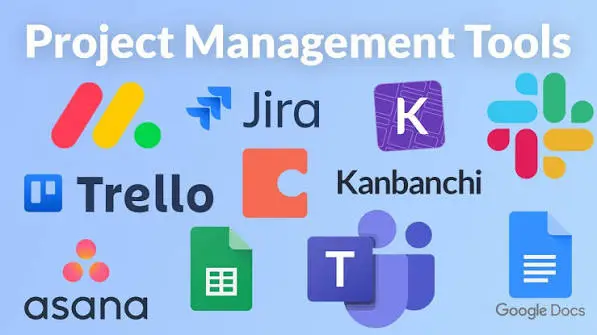
Build your own task, project, deadline, and team management system, shaped around how your specific team actually works rather than fitting your workflow around someone else’s software.
16) Private Knowledge Base
Create a searchable system for storing notes, documentation, research, and internal company information.
Giving your team one reliable place to find things instead of scattered documents across different tools.
Good search functionality is really what separates a useful knowledge base from a pile of unsearchable files.
17) Real-Time Collaboration App
Build something where multiple users can edit, comment, or interact with shared information in real time.
Similar to collaborative document or whiteboard tools, running entirely on your own server.
18) Notification Service
Build an API that applications can use to send email, SMS, push, or other notifications.
Giving every project you build a single, reusable notification layer rather than reinventing it each time.
This one pays off especially well once you’ve got several other projects on this list running, since they can all route through it.
19) Data Scraping and Processing Pipeline
Create a system that collects publicly available data, processes it, stores it.
And presents the results, useful for research, price tracking, market monitoring or any project built around structured data collected over time.
This is one of the more resource hungry projects on the list, particularly once you’re running scheduled jobs across a lot of data regularly.
20) Custom SaaS Application

Build a small subscription based software product and run the backend, database, APIs, and application entirely from your VPS, giving you a genuine starting point for turning a project into an actual product.
This is realistically the most involved project on this list, and often ends up combining several of the earlier ones, like notifications, a database, and user accounts, into one cohesive application.
Can You Build Multiple Projects on One VPS?
Yes, and for a lot of these smaller or lighter projects, running several on a single VPS is a genuinely practical approach rather than needing a separate server for each one.
Containers, through tools like Docker, let you keep each project isolated in its own environment, with its own dependencies, even while they all share the same underlying server.
A reverse proxy, such as Nginx or Caddy, then routes incoming traffic to the correct project based on the domain or subdomain being requested, so each one can have its own address without needing its own dedicated IP.
Beyond containers and a reverse proxy, running multiple projects well usually means giving each one its own separate port internally.
Its own database rather than sharing tables across unrelated projects, and its own domain or subdomain pointed at the right place.
Done properly, this setup lets a single, reasonably specced VPS comfortably host several of the lighter projects from this list at once, as long as none of them are individually resource hungry enough to need the whole server to themselves.
It’s worth keeping an eye on total resource usage as you add more projects to one server though, rather than assuming headroom will always be there.
A URL shortener, a notification API and a simple monitoring tool might all sit comfortably together on a modest VPS.
While adding a resource heavy chatbot or a busy data pipeline into that same mix could start crowding out the others.
Monitoring CPU and RAM usage periodically helps catch this before it turns into a real problem for any of the projects sharing that server.
What Do You Need to Start a VPS Project?
A handful of basics apply across nearly every project on this list:
- A VPS sized appropriately for the project’s CPU, RAM and storage needs
- A Linux operating system, since most self-hosted tools and frameworks are built around it
- SSH access to actually manage the server and deploy your project
- Git for pulling code, managing versions, and deploying updates cleanly
- A programming language or framework matching whatever you’re actually building
- A database where the project needs to store structured data
- Docker where it’s useful for keeping dependencies contained and deployments repeatable
- A domain or subdomain for anything meant to be reached by other people
- SSL for any publicly accessible application, since HTTPS has become the expected baseline
- Backups, since a self-hosted project is only as safe as your own backup habits make it
How much VPS you actually need depends heavily on which project, or combination of projects, you’re running.
A lightweight tool like a URL shortener or a simple notification API runs comfortably on an entry level VPS with a single vCPU core and a couple of gigabytes of RAM.
Something more demanding, like a self-hosted chatbot pulling from a large knowledge base, a data scraping pipeline processing a lot of records, or a custom SaaS application serving real users, needs considerably more CPU and RAM to stay responsive, along with more storage for a growing database.
Truehost’s VPS plans scale across exactly this range, from entry level tiers suited to a single lightweight project or two, up through higher tiers with more cores, more RAM and faster NVMe storage for anything genuinely demanding.
A project like a personal cloud storage system or an automated backup server, for instance, leans heavily on storage and bandwidth specifically.
While something like an AI API gateway or a real-time collaboration app leans more on CPU and RAM to handle requests quickly under load.
If you’re ready to start building, comparing Truehost’s current VPS plans against the resource needs of whichever project from this list you’re tackling first is a solid next step before committing to a specific tier.