 Domains SearchSearch available domain names and claim yours in just a few clicks.
 .GH DomainsFind and register a trusted .gh domain for your business or idea.
 Web HostingAffordable web hosting solutions designed for performance, uptime, and scalability.
 cPanel HostingManage your website without the stress. cPanel hosting gives you everything in one place.
 Reseller HostingCreate, manage, and grow your hosting clients using reliable reseller hosting tools.
 Windows HostingWindows hosting that works smoothly with Microsoft frameworks and applications.
 Email HostingProfessional email hosting that keeps your business communication reliable and secure.
 WordPress HostingFast and secure WordPress hosting optimized for smooth performance and easy management.
 Affiliate ProgramEarn commissions by referring customers to our hosting and domain services.
 .COM Domains
 All DomainsFind the right Ghana domain for your brand and lock it in fast.
 Domain TransferMove your domain to us with a smooth, secure transfer process.
 Whois LookupCheck domain ownership and registration details instantly with our WHOIS lookup.
 SSL CertificatesSecure your website and protect your visitors with trusted SSL certificates.
 VPS HostingUpgrade to VPS hosting today and enjoy better speed, uptime, and flexibility.
 Managed VPSManaged VPS for businesses and developers who want full control without server management worries.
 Dedicated ServersGet maximum speed and reliability with dedicated servers built for serious websites and apps.
 AI Website BuilderStart your website today with our AI builder and go live in minutes.
 Online ShopStart selling online today with your own professional online shop.
 Web Design ServiceProfessional web design services that make your brand stand out online.
 Local SEO
 BlogHelpful articles, tutorials, and updates for building your online presence.
 Contact UsNeed help or more information? Connect with us anytime.
A VPS is often marketed as a place to host websites.
That is only one use case.
You actually get your own virtualized server. It comes with dedicated resources. You also get far more control than shared hosting allows.
Because of that control, a VPS can support all kinds of projects. What you can run depends on a few factors.
These include CPU, RAM and storage. They also include the operating system and provider policies.
Some ideas below need very little power. Others need a genuinely capable VPS. Either way, there is likely something here worth trying.
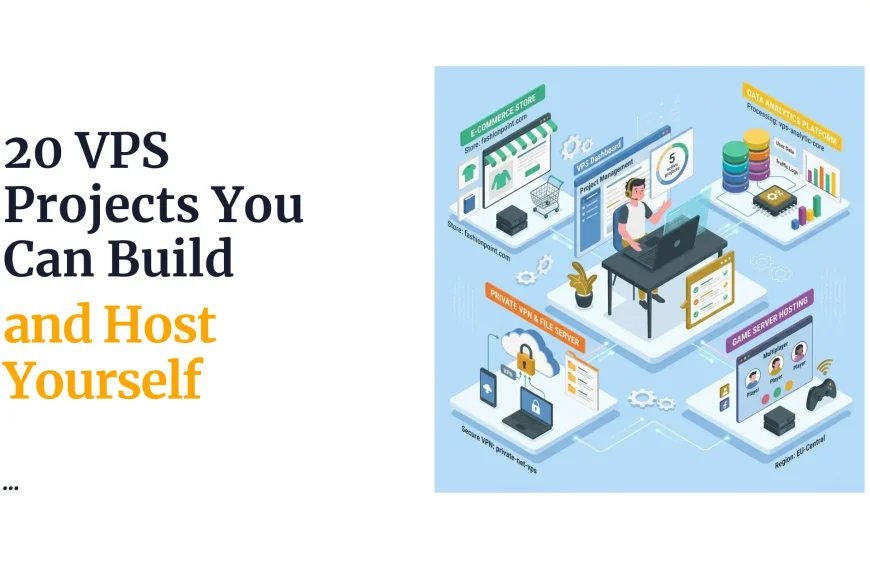
This guide covers cool things you can do with a VPS beyond simple website hosting.
Some ideas suit developers. Others suit businesses, hobbyists or curious beginners.
1) Host Multiple Websites

A single VPS can host several websites at once. Each site can use its own domain. Each one can run a different application too.
This setup makes sense for developers managing client work. It also suits agencies running several projects.
Businesses juggling multiple brands benefit as well.
Managing everything from one server also saves money.
You avoid paying for separate hosting accounts. This makes budgeting simpler for growing teams.
2) Run Your Own Web Applications
A VPS lets you deploy custom applications directly. You are not limited to one programming stack. Node.js, Python and PHP all run comfortably on a VPS.
This flexibility is valuable for developers building original tools.
You control the runtime environment completely. That level of control is hard to get elsewhere.
You can also mix technologies freely.
Running a Python backend beside a Node.js frontend is easy. Shared hosting rarely allows that kind of freedom.
3) Create a Development and Testing Server
A VPS makes a great private testing ground. You can build and test applications safely. Updates can be tried before going live.
This means you can experiment freely. Nothing affects your actual live website. Mistakes here stay contained and low-stakes.
You also gain confidence before every deployment. Fewer surprises happen once changes go live. Your visitors never see a broken update.
4) Host a Private Git Server
You can store code repositories on your VPS. This lets you manage version control yourself. Teams can collaborate without relying on third parties.
Tools like GitLab or Gitea work well here.
Both let you self-host a Git server. This keeps your development infrastructure fully under your control.
Self-hosting also avoids monthly subscription fees.
Larger teams especially notice this savings. Privacy improves too, since your code never leaves your server.
5) Run Automation Scripts
A VPS can handle repetitive tasks automatically. This includes backups, reports and data processing. Routine maintenance tasks fit here too.
Cron jobs are the usual way to schedule these. They run scripts at set times. This frees you from manual repetitive work.
6) Host a Personal Cloud Storage Service
Your VPS can become a private file storage hub.
You can access your files from anywhere. This gives you an alternative to commercial cloud storage.
Nextcloud is a popular option for this. It runs well on a modestly sized VPS.
Just make sure your storage plan matches your needs.
You also gain full privacy over your files. No third party scans or indexes your data.
That alone appeals to many privacy-conscious users.
7) Set Up Your Own Monitoring Server
A VPS can monitor other websites and servers. It can track uptime and performance over time.
You can also receive alerts when something breaks.
Uptime Kuma is one popular monitoring tool.
Many similar self-hosted options exist too. These give you visibility without paying for a third-party service.
Early alerts can save real business revenue.
Catching downtime fast means faster recovery. Customers rarely notice brief outages fixed quickly.
8) Run a VPN for Your Own Devices
A VPS can power your own private VPN. This connects your devices through an encrypted tunnel. It is useful for secure remote access.
This works well for reaching your own infrastructure. It also helps secure your personal browsing.
The focus here stays on legitimate, personal networking use.
Public Wi-Fi becomes much safer this way. Your traffic stays encrypted end to end.
That peace of mind is worth the setup effort.
9) Host a Personal Website or Portfolio
A VPS works well for personal projects too. This includes blogs, portfolios or passion projects.
You get full control over the server environment.
This is especially useful for developers. It lets you demonstrate real deployment skills. Employers and clients notice that kind of initiative.
A polished personal site also builds credibility. It shows you can handle real infrastructure.
That impression often opens new opportunities.
10) Run a Database Server
Your VPS can host databases for your applications.
MySQL, MariaDB and PostgreSQL all run well here. You get to choose the system that fits your project.
Databases need proper resources to perform well. They also need careful security configuration.
A VPS gives you room to handle both properly.
Backups become simpler when you control the server. You decide exactly how and when they run. This level of control is rare on shared hosting.
11) Create a Staging Environment for WordPress

A VPS can host a WordPress staging site. This is a clone of your live website.
You can test themes, plugins and updates safely.
Once changes are confirmed working, push them live.
This protects your actual website from untested changes. It is a smart habit for any serious WordPress site.
Skipping this step often leads to broken layouts.
A staging site catches these problems early. That small habit saves real time later.
12) Host APIs and Backend Services
A VPS can run REST APIs directly. These can power websites, apps or other services. You get full control over how they operate.
This is valuable when your runtime environment needs customization. Shared hosting rarely allows this level of flexibility. A VPS removes that limitation entirely.
You can also scale specific services independently.
This works well as your application grows. It gives you room to expand without a full rebuild.
13) Build a Private Analytics Dashboard
You can collect and visualize your own data.
A dashboard application can run right on your VPS. This gives you insight without third-party tracking tools.
Self-hosted analytics platforms are one option.
Custom-built dashboards work well too. Both keep your data fully under your control.
14) Host a Self-Hosted Project Management Tool
A VPS can run project management software. This suits teams wanting more data control. It avoids relying entirely on third-party platforms.
Several self-hosted task and project tools exist.
Many are open source and fairly lightweight. This makes them practical for smaller teams.
15) Create a Learning Lab for Linux and Server Administration
This is a genuinely great use of a VPS. It works for far more than businesses. Anyone curious about servers can benefit here.
You can learn real Linux commands hands-on. You can practice installing new software safely. You can experiment with networking and configuration too.
Try working with web servers and databases directly. Break things occasionally, then fix them again.
That process teaches server skills better than reading alone.
A VPS gives you a genuine real-world environment. It is far more realistic than a local sandbox. This makes it ideal for learning by doing.
Mistakes here carry no real consequences. You can rebuild a broken server from scratch. That freedom makes learning far less intimidating.
16) Host a Private Wiki or Knowledge Base
A VPS can store your own documentation. This works for personal notes or team knowledge. It also suits ongoing project documentation.
Self-hosted wiki platforms handle this well.
They give you a searchable, organized knowledge base. Your information stays fully under your control.
17) Run a Lightweight Chat or Collaboration Server
You can host your own communication platform. Several open-source options exist for this purpose. They work well for teams or private communities.
Check the resource requirements before committing. Some platforms need more RAM than others. Choose your VPS size accordingly.
18) Host a Game Server
A VPS can run supported multiplayer game servers. Requirements vary a lot by game. Player count also affects what you will need.
CPU, RAM, storage and network speed all count here. Some games need very little power. Others demand a considerably larger VPS.
Latency is a big deal for real-time gaming.
Choosing a server location close to players helps. This keeps gameplay smooth and responsive.
19) Run Scheduled Data Processing Jobs
A VPS can process datasets on a schedule. This suits repetitive computing tasks well. Scripts can run automatically at set intervals.
Developers and researchers both benefit from this setup. Businesses use it for regular reporting tasks too. Heavier workloads may need a larger VPS plan.
Running jobs overnight also saves time. Results are ready first thing in the morning. This works well for anyone juggling a busy schedule.
20) Experiment With Containers
You can install Docker or a similar platform. This lets you run isolated applications easily. Each service stays neatly separated from the others.
Containers are great for learning deployment concepts.
You can run several lightweight services together. This works well if your VPS has enough resources.
Restarting or updating one service becomes simple.
Other running services stay completely unaffected. This makes experimentation far less risky overall.
21) Build Your Own URL Shortener
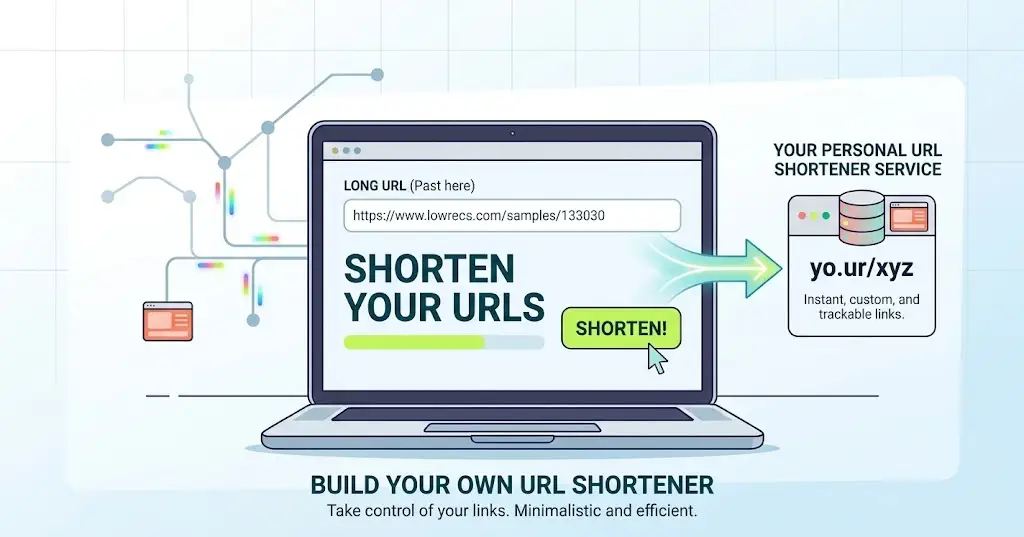
This bonus project is genuinely fun to build. You deploy a simple URL-shortening application. Then you create your own branded short links.
It is a small project with a real payoff. You end up with a working tool. That feeling of shipping something is satisfying.
You can track clicks and destination data too.
This is a great small project for learners. It teaches real deployment skills in a fun way.
22) Create a Personal Dashboard for Your Services
This final bonus project ties everything together nicely.
You build one dashboard for all your services. It can track websites, servers and applications at once.
Show uptime, resource usage and other useful metrics.
This becomes especially handy running several projects together. One glance tells you how everything is performing.
Things to Consider Before Trying These VPS Projects
Before diving in, a few practical points are worth knowing.
- Check your VPS resources first. This includes CPU, RAM and storage. Confirm your operating system supports your chosen software.
- Think about your bandwidth requirements too. Some projects, like game servers, need more than others. Security and regular updates are important for every project here.
- Backups deserve real attention as well. Losing data to a preventable mistake is frustrating. A simple backup routine avoids most of that risk.
- Domain and DNS configuration may be needed too. Some projects require a properly pointed domain. Others work fine using just an IP address.
- SSL certificates are important for anything public-facing. Software compatibility is worth checking beforehand too. Always confirm your provider’s policies before deploying something unusual.
- Finally, ask whether your VPS is actually powerful enough. Some of these projects need real resources. Starting with a plan that fits saves headaches later.
None of this needs to feel overwhelming. Most projects only need basic checks. A little planning upfront prevents most common problems.
Try More With a VPS From Truehost
A VPS is never limited to hosting one website.
Depending on its resources, it can do far more. Websites, applications, automation and monitoring all fit here.
Cloud storage, gaming and countless experimental projects fit too. The best project for you depends on two things.
These are your technical experience and available resources.
There really is no single right answer here.
Pick whatever project excites you most. That excitement usually leads to the best learning.
If you want room to try these cool things you can do with a VPS, Truehost can help. Their VPS plans are worth a look.
Choose a plan that gives you space to experiment and grow.
Explore Truehost VPS plans and start building something new today.