 Domains SearchSearch available domain names and claim yours in just a few clicks.
 .GH DomainsFind and register a trusted .gh domain for your business or idea.
 Web HostingAffordable web hosting solutions designed for performance, uptime, and scalability.
 cPanel HostingManage your website without the stress. cPanel hosting gives you everything in one place.
 Reseller HostingCreate, manage, and grow your hosting clients using reliable reseller hosting tools.
 Windows HostingWindows hosting that works smoothly with Microsoft frameworks and applications.
 Email HostingProfessional email hosting that keeps your business communication reliable and secure.
 WordPress HostingFast and secure WordPress hosting optimized for smooth performance and easy management.
 Affiliate ProgramEarn commissions by referring customers to our hosting and domain services.
 .COM Domains
 All DomainsFind the right Ghana domain for your brand and lock it in fast.
 Domain TransferMove your domain to us with a smooth, secure transfer process.
 Whois LookupCheck domain ownership and registration details instantly with our WHOIS lookup.
 SSL CertificatesSecure your website and protect your visitors with trusted SSL certificates.
 VPS HostingUpgrade to VPS hosting today and enjoy better speed, uptime, and flexibility.
 Managed VPSManaged VPS for businesses and developers who want full control without server management worries.
 Dedicated ServersGet maximum speed and reliability with dedicated servers built for serious websites and apps.
 AI Website BuilderStart your website today with our AI builder and go live in minutes.
 Online ShopStart selling online today with your own professional online shop.
 Web Design ServiceProfessional web design services that make your brand stand out online.
 Local SEO
 BlogHelpful articles, tutorials, and updates for building your online presence.
 Contact UsNeed help or more information? Connect with us anytime.
Imagine a business in Accra called Bright Star.
The owner wants a website at brightstar.com and a professional email address such as [email protected]. So does she need one hosting service, or two?
It’s a fair question, and the answer isn’t the same for everyone. Email hosting and web hosting do different jobs.
Email hosting manages email accounts and messages.
Web hosting stores the files and applications that make a website visible to visitors.
Some providers sell them separately. Others include email accounts inside a web hosting plan.
This guide compares email hosting vs web hosting by purpose, cost and features.
Then it explains when a business should choose one, the other or both.
By the end, you’ll know whether you can get everything in a single plan or whether two separate services make more sense.
Email Hosting vs Web Hosting: What’s the Difference?
Here’s the quick comparison. Read through the table first, then we’ll go into each difference.
| Feature | Email hosting | Web hosting |
| Main purpose | Sends, receives and stores email | Stores website files and runs a website |
| Used for | Addresses such as [email protected] | Websites such as brightstar.com |
| Main resources | Mailboxes, email storage and mail delivery | Web storage, databases and server resources |
| Requires a domain | Usually uses a domain you own or control | Usually requires a domain to publish a website |
| Can work without the other? | Yes | Yes |
| Typical users | Businesses needing custom-domain email | Businesses, bloggers and organisations needing a website |
| Pricing model | Per mailbox or bundled email plan | Usually based on hosting package and resources |
| Can be bundled? | Yes, with some web hosting plans | Yes, some plans include email accounts |
The important line is Can one work without the other? Both answers are yes. You can run email on your domain without a website.
You can run a website without custom email. Many businesses want both, which is where bundling comes in.
Email Hosting vs Web Hosting: 5 Main Differences
1) Purpose and Function
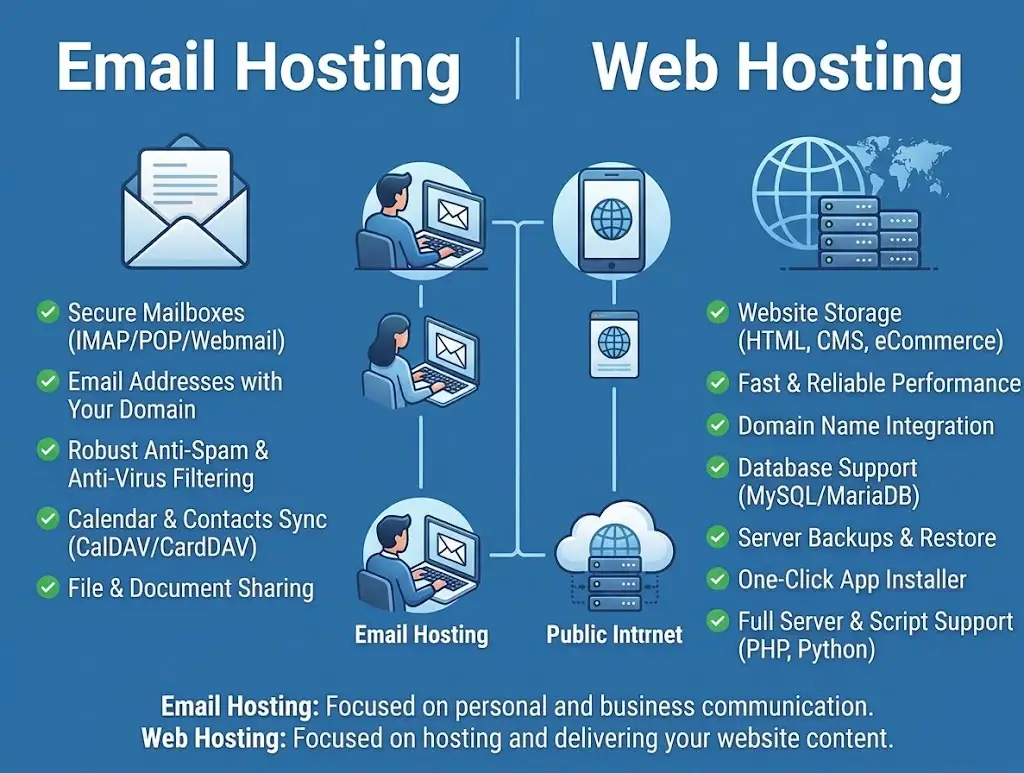
Email hosting supports business communication. It keeps your mailboxes running, delivers your messages and stores what you send and receive.
Web hosting does a different job. It makes your website content available to anyone who types in your address.
Take a small Ghanaian business as an example. Its website shows its products, prices and contact details.
That’s web hosting at work. Its email account handles customer enquiries, quotations and support requests. That’s email hosting.
The two services work side by side. A customer finds you on the website, then sends an email to [email protected]. One service brings them in, and the other handles the conversation.
Because the jobs are separate, you can choose them separately. But you can also choose them together if one provider covers both.
2) Storage and Resources
Both services use storage, but for different things. Mailbox storage holds messages and attachments.
Website storage holds images, pages, databases, application files and other site content.
They also draw on different resources. Email hosting relies on mailboxes, email storage and mail delivery.
Web hosting relies on web storage, databases and server resources like CPU and memory.
Here’s a detail that surprises people. Some providers count both against a shared account’s overall storage allowance.
If your plan has 30 GB in total, a busy mailbox full of attachments can eat into the space your website needs. Check how your provider counts storage before you rely on a bundle.
On the other side, standalone email plans often give you a set amount of storage per mailbox. That’s easier to predict, and it keeps email separate from your website’s growth.
3) Cost of Email Hosting vs Web Hosting
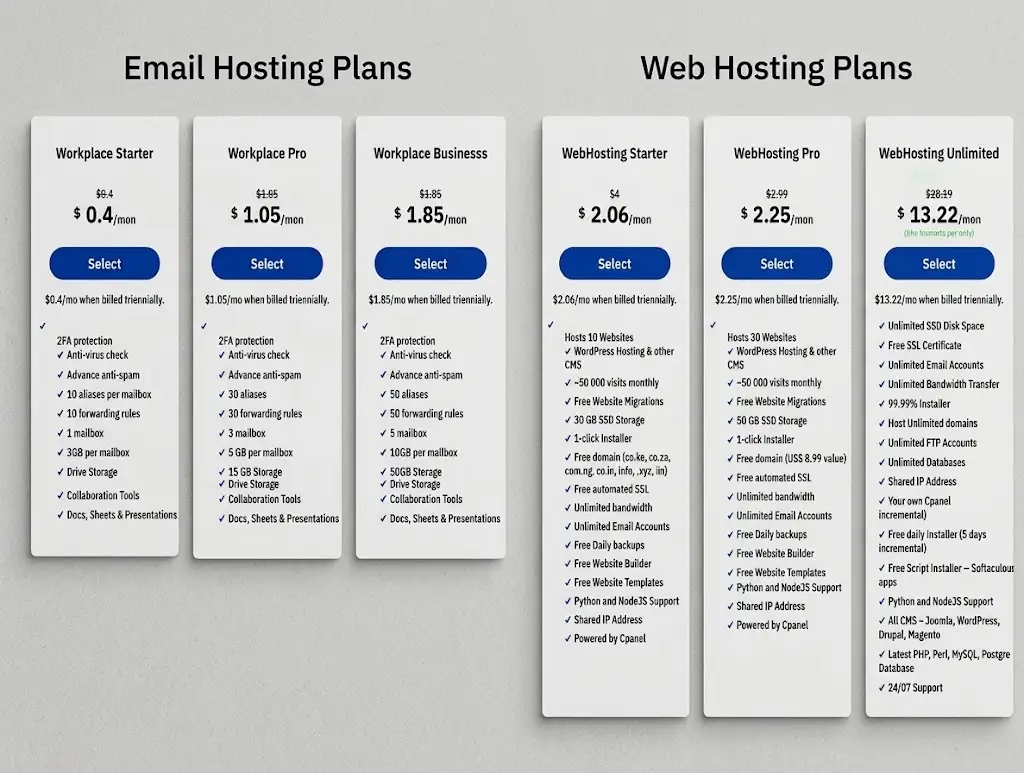
The pricing models differ, and that affects how you budget.
- Email hosting may be charged per user, per mailbox or as a package.
- Web hosting is commonly priced by package, storage, website limits and server resources.
- Bundled hosting may include email accounts without a separate email hosting charge.
- Domains, renewals and extra features can change the total cost.
That third point is the one to watch. If your web hosting plan already includes email accounts, you may not need to buy email separately.
Truehost’s site, for example, lists web hosting plans that include email accounts.
Its Starter plan is shown with unlimited email accounts, and the site says every hosting plan includes at least one professional email account.
So compare the complete plan cost, not just the web hosting price. Email isn’t always a separate purchase.
Standalone email can still be good value when you need more.
Truehost’s Workplace email plans start from $4.80 per year for one mailbox, according to its global pricing page.
Truehost’s hosting prices are listed in US dollars and depend on the billing term, such as three years upfront, so confirm the current price and term at checkout.
Always add up renewals too. A low first-term price can rise later. Then compare the full cost of each setup over two or three years.
4) Setup and Management
Setting up each service involves different tasks.
For email hosting, you create mailboxes and configure email-related DNS records.
Those records route your mail and help prove your messages are genuine. You’ll usually see MX, SPF, DKIM and DMARC records mentioned here.
For web hosting, you connect your domain to the hosting account. Then you upload files or build the site, and configure its software.
If you use WordPress, that means installing it and setting it up.
Both services may be managed through the same provider. That’s convenient, because you log in to one place and deal with one support team.
But it isn’t a rule. You can host your website with one company and your email with another. Many businesses do exactly that, and it works fine if the DNS records are set up correctly.
If you split them, keep a note of where each one lives. When something breaks, you’ll want to know which provider to contact.
5) Security and Maintenance
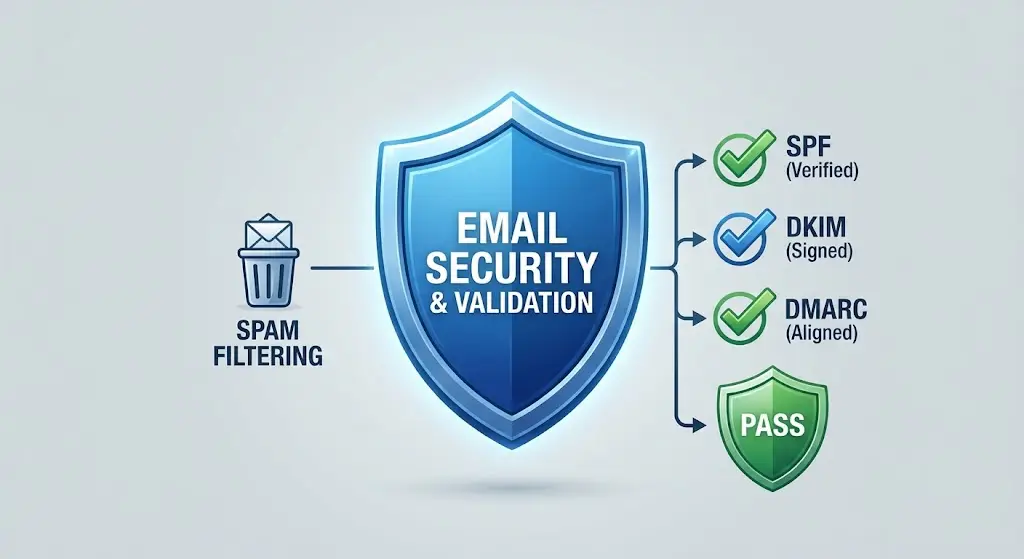
Each service has its own risks, and each needs its own protection.
For email, look at spam filtering, virus scanning and authentication records like SPF, DKIM and DMARC. Strong passwords and multifactor authentication help too.
For your website, think about SSL certificates, software updates and backups.
If you run WordPress, themes and plugins need regular updates, and a recent backup can save you after a problem.
Here’s the point to remember. Securing one service doesn’t automatically secure the other. A well-protected website doesn’t make your mailboxes safe.
A secure mailbox doesn’t stop your site from being hacked. If you use both, you have to manage both sets of risks.
When you compare providers, check what’s included for each service, and don’t assume one set of protections covers everything.
Which One Does Your Business Need?
The answer depends on what you’re trying to do. Here are the three common cases.
1) Choose Email Hosting if You Only Need Business Email
Standalone email hosting suits a few situations. Maybe you already have a website with another provider.
Maybe you reach customers through social media. Or maybe you aren’t ready to launch a site yet.
In each case, you can still have a professional address like [email protected]. You don’t need a website for that.
You will need two things. First, a registered domain. Second, access to that domain’s DNS settings, so you can point your mail to the email service.
A dedicated email plan also tends to offer more mailbox features.
These can include larger mailboxes, calendars and shared tools. If email is central to how you work, that extra room can be worth it.
2) Choose Web Hosting if You Need a Website
Web hosting is necessary when you want to publish a website, run WordPress or launch an online store. Without it, your site has nowhere to live.
If you also need professional email, don’t buy it separately just yet. Check whether your chosen hosting plan includes suitable mailboxes.
Many plans do. Look at how many accounts you get, how much storage each has and what spam protection is included.
If the included email covers your needs, you save money and manage everything in one place. If it doesn’t, you can always add a dedicated email plan later.
3) Choose Both if You Need a Website and Professional Email

Many businesses need both functions. But they don’t always need two separate subscriptions.
Compare your options. You can buy standalone email hosting and web hosting separately.
Or you can choose a web hosting package that includes email.
The better option depends on a few things:
- Mailbox limits. Does the bundle give you enough accounts for your team?
- Storage. Is there enough space for both the website and the mail?
- Security features. Does the included email have spam filtering and strong protection?
- Your plans. Will you add staff or grow your site soon?
A small business with a few staff may find a bundle is plenty.
A growing company that relies on email may prefer a dedicated plan with more mailbox space and tools. Neither is wrong. It’s about fit.
Choose the Hosting Setup That Fits Your Business
Let’s put it in plain terms. Choose email hosting if all you need is custom-domain email.
Choose web hosting if you need a website. Choose a bundled package if you need both and its email features meet your needs.
In the Bright Star example, the owner wants a website and an info@ address. A web hosting plan that includes email accounts could cover both in one go.
If she later needs bigger mailboxes or shared tools for a growing team, she can add a dedicated email plan without moving the website.
That’s the nice thing about this choice. It isn’t permanent. You can start small and add services as you grow.
Before you buy, check the details. Look at mailbox limits, storage, security, renewal prices and support. Then match them to your plans.
Compare Truehost’s available web hosting plans and check which email features are included.