 Domains SearchSearch available domain names and claim yours in just a few clicks.
 .GH DomainsFind and register a trusted .gh domain for your business or idea.
 Web HostingAffordable web hosting solutions designed for performance, uptime, and scalability.
 cPanel HostingManage your website without the stress. cPanel hosting gives you everything in one place.
 Reseller HostingCreate, manage, and grow your hosting clients using reliable reseller hosting tools.
 Windows HostingWindows hosting that works smoothly with Microsoft frameworks and applications.
 Email HostingProfessional email hosting that keeps your business communication reliable and secure.
 WordPress HostingFast and secure WordPress hosting optimized for smooth performance and easy management.
 Affiliate ProgramEarn commissions by referring customers to our hosting and domain services.
 .COM Domains
 All DomainsFind the right Ghana domain for your brand and lock it in fast.
 Domain TransferMove your domain to us with a smooth, secure transfer process.
 Whois LookupCheck domain ownership and registration details instantly with our WHOIS lookup.
 SSL CertificatesSecure your website and protect your visitors with trusted SSL certificates.
 VPS HostingUpgrade to VPS hosting today and enjoy better speed, uptime, and flexibility.
 Managed VPSManaged VPS for businesses and developers who want full control without server management worries.
 Dedicated ServersGet maximum speed and reliability with dedicated servers built for serious websites and apps.
 AI Website BuilderStart your website today with our AI builder and go live in minutes.
 Online ShopStart selling online today with your own professional online shop.
 Web Design ServiceProfessional web design services that make your brand stand out online.
 Local SEO
 BlogHelpful articles, tutorials, and updates for building your online presence.
 Contact UsNeed help or more information? Connect with us anytime.
Launching a website without a checklist is like cooking without a recipe.
You might end up with something edible, but you will probably forget the salt, burn the edges, and spend twice as long cleaning up.
A structured setup process prevents these costly oversights.
The truth is, most website failures don’t happen because of bad hosting or broken code, they happen because someone skipped a step.
A missing SSL certificate. A forgotten meta description. A contact form that never sends emails.
In Ghana, where mobile internet usage dominates and competition for attention is fierce, a half‑finished website can do more harm than no website at all.
Visitors who land on a broken or unfinished site will assume your business is equally unprofessional.
That is why following a complete website setup checklist is about launching with confidence and ensuring your site works for your audience from day one.
Today, I walk you through every phase: planning, building, testing, launching, and post‑launch.
Follow it, and you will go live with a site that is secure, fast, and ready to grow.
Planning & Foundation
Before you build anything, get clear on what you are building and who it is for. This phase saves you from redesigning later.

1) Define Your Website’s Purpose
Start with a single sentence:
This website exists to _______.
Fill in the blank with your primary goal.
Are you selling products, generating leads, sharing information, or building a community?
Once you know the goal, decide what actions you want visitors to take.
Is it buy now, sign up for a newsletter, call your office, download a brochure.
Every page on your site should serve this goal. If a page doesn’t help visitors take that action, reconsider whether it belongs.
2) Research Competitors
Identify 3-5 competitors in your industry. Spend time on their sites.
What do they do well? Is the design clean? Is the content helpful? How do they handle mobile users?
Then note their weaknesses.
Maybe their contact page is hard to find, or their checkout process is clunky. Those gaps become your opportunity.
For a Ghana‑based business, also consider how competitors appeal to local audiences, do they use local imagery, references, or languages? Use those insights to make your site stand out.
3) Map Your Site Structure
Create a sitemap showing all pages and their hierarchy.
Start with the core pages: Home, About, Services/Products, Contact, Blog.
Then add legal pages: Privacy Policy, Terms of Service, Cookie Notice.
If you run an e‑commerce store, include product categories, individual product pages, cart, checkout, and account pages.
This structure becomes your navigation menu.
A well‑organized sitemap helps visitors find what they need quickly and tells search engines how your site is structured.
Domain & Hosting Setup
Your foundation determines everything, speed, security, and reliability. Get this right and the rest is easier.
1) Secure Your Domain
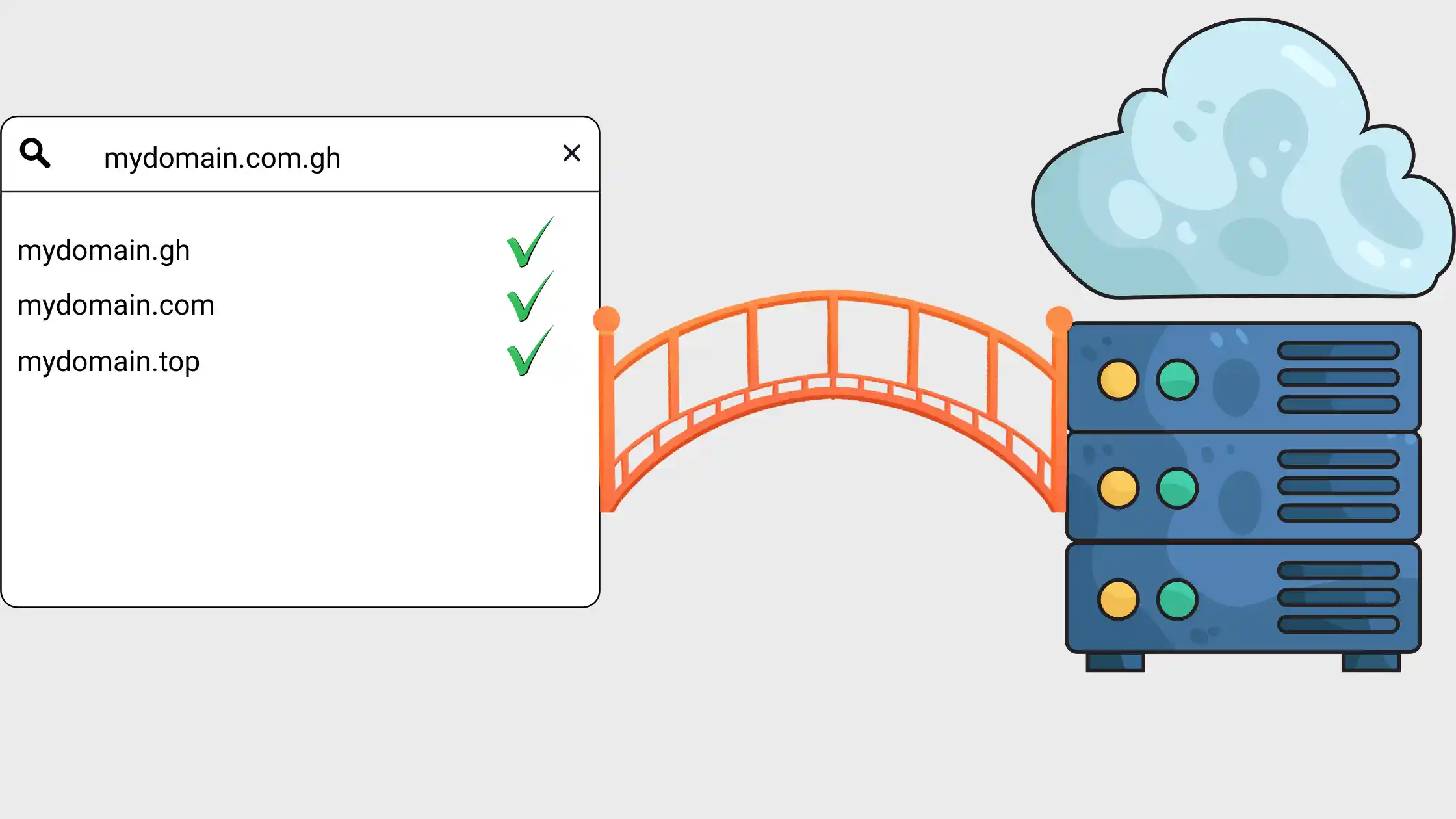
Choose a domain name that reflects your brand and is easy to spell and remember. For a Ghana audience, consider a .com.gh or .gh domain, these show local relevance and can build trust.
Truehost offers domain registration with various TLDs, so you can find the perfect fit.
Avoid obscure extensions unless they are part of your branding strategy.
And always check that your domain isn’t already trademarked to avoid legal trouble later.
2) Choose Your Hosting
Match hosting to your needs:
- shared hosting is fine for beginners with low traffic
- VPS or cloud hosting offers more resources and isolation for growing sites
- dedicated servers are for high‑traffic, mission‑critical applications.
Truehost provides scalable plans with a 99.9% uptime guarantee, which means your site will be accessible almost all the time.
Ensure your hosting package includes a free SSL certificate, this is non‑negotiable for security and SEO.
Without SSL, browsers will label your site Not Secure, scaring away visitors.
3) Configure DNS Settings
DNS is the phonebook of the internet.
You will need to point your domain to your hosting server by setting A records to your hosting IP.
If you are using custom email (like [email protected]), you will also need to configure MX records to point to your email provider.
If you are planning DNS changes, lower the TTL (time to live) 24–48 hours in advance so updates propagate faster.
A mistake here can take your site offline, so double‑check entries before saving.
4) Install SSL Certificate
Most modern hosting plans, including Truehost’s, include free SSL certificates that auto‑install.
Once enabled, your site will load with https://, encrypting data between the server and visitors.
This is critical for protecting login credentials, payment details, and personal information.
It is also a ranking factor for Google.
If your SSL isn’t auto‑installed, your hosting dashboard will have a tool to request it.
Verify that all pages redirect to HTTPS after installation.
Your checklist is only as strong as the foundation it’s built on. Truehost offers reliable hosting with free SSL, one‑click WordPress installs, and 24/7 local support.
Explore Truehost hosting plans here and start your project on solid ground.
Design & Development
Now build your site with consistency and user experience in mind.
1) Establish Your Design System
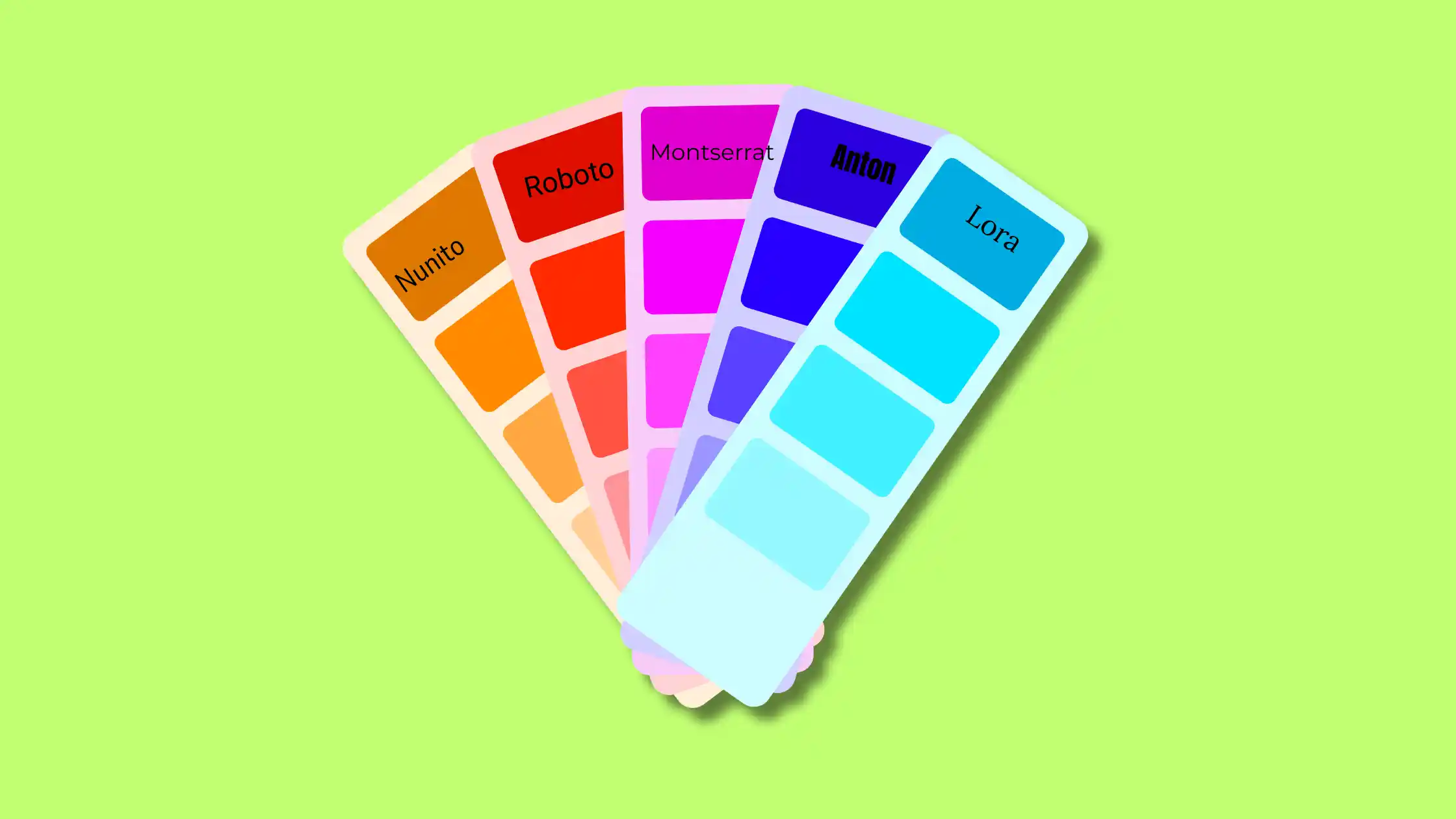
Before you start building pages, define your brand’s visual identity:
- primary and secondary colors,
- fonts including fallbacks for system fonts,
- and logo placement.
Use global settings in your page builder or CMS to maintain consistency.
Test color contrast for accessibility, body text should have a contrast ratio of at least 4.5:1 against its background.
This isn’t just nice; it is essential for users with visual impairments and can improve overall readability.
2) Create Essential Pages
- Homepage:
A clear headline stating your value proposition, a subheading that explains what you offer, and a prominent call‑to‑action e.g., “Shop Now,” “Get a Quote”.
- About page:
Your story, mission, and team. People buy from people, share why you started and what you stand for.
- Services/Products page:
Detailed descriptions with images. For e‑commerce, include pricing, variants, and clear add‑to‑cart buttons.
- Contact page:
A simple form, your email address, phone number, and physical address if applicable. Consider embedding a Google Map.
- Blog:
For ongoing content and SEO. Even if you don’t plan to post weekly, having a blog section gives you room to grow.
3) Design for Mobile First
Over 60% of web traffic in Ghana comes from mobile devices. Design for the smallest screen first, then scale up.
Test at three breakpoints: mobile (≤480px), tablet (~768px), and desktop (≥1280px).
Use responsive mode in your builder to check every page.
On mobile, ensure buttons are at least 44×44px for easy tapping, text is legible without zooming, and navigation is thumb‑friendly.
4) Remove Placeholder Content
Replace all dummy text and stock images with your real content. Check headers, footers, and every page section.
Nothing says unfinished like a page still showing Lorem ipsum.
If you are using AI content tools, generate drafts, then personalise them to match your brand voice.
Read every sentence aloud to catch awkward phrasing.
Content & SEO Optimization
Great design means nothing if your content isn’t optimized for users and search engines.
1) Write Compelling Copy
Use clear, conversational language that sounds like you.
Avoid jargon unless your audience expects it.
Break up large text blocks with headings, bullet points, and short paragraphs.
Include keywords naturally, don’t stuff them.
Think about the questions your visitors have and answer them directly.
In Ghana, where many users are on mobile, short paragraphs and scannable content are especially important.
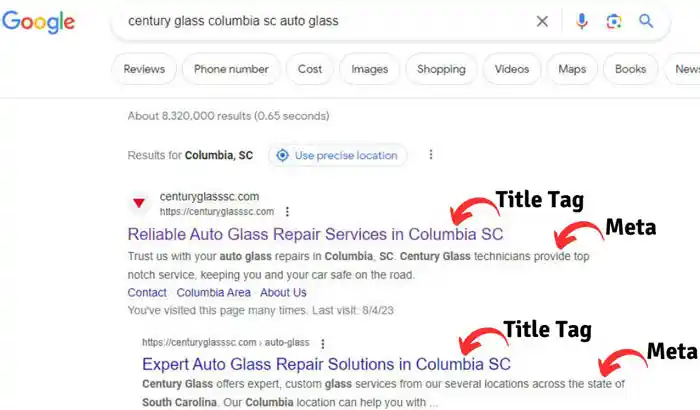
2) Add Meta Titles & Descriptions
Every page needs a unique title tag (50–60 characters) and meta description (150–160 characters).
Include your primary keyword and a compelling reason to click.
These are what users see in search results, so make them count.
For example, instead of Services, use Web Design Services in Accra or Affordable & Professional.
3) Set Up SEO‑Friendly URLs
Use clean, descriptive URLs e.g., /services/web-design, not /page?id=23.
For WordPress, go to Settings → Permalinks and select Post name.
This gives you readable URLs that help both users and search engines understand your page content.
4) Add Alt Text to Images
Describe each image for screen readers and search engines.
Include keywords where relevant, but prioritize accuracy.
Alt text also appears if an image fails to load, so it is a usability feature too.
For product images, include the product name and key details.
5) Create a 404 Page
Design a helpful error page with links to popular content and a search bar.
A good 404 page turns a dead end into a way to explore further.
Avoid the generic Not Found message, add a touch of personality and clear next steps.
6) Set Up Redirects
If you are redesigning, map old URLs to new ones using 301 redirects.
This preserves SEO value and ensures visitors don’t land on broken pages.
Use a plugin like Redirection (WordPress) or configure them via your hosting control panel’s redirect tool.
Functionality Testing
Test everything before launch, what works in development might break in the wild.
1) Test All Forms
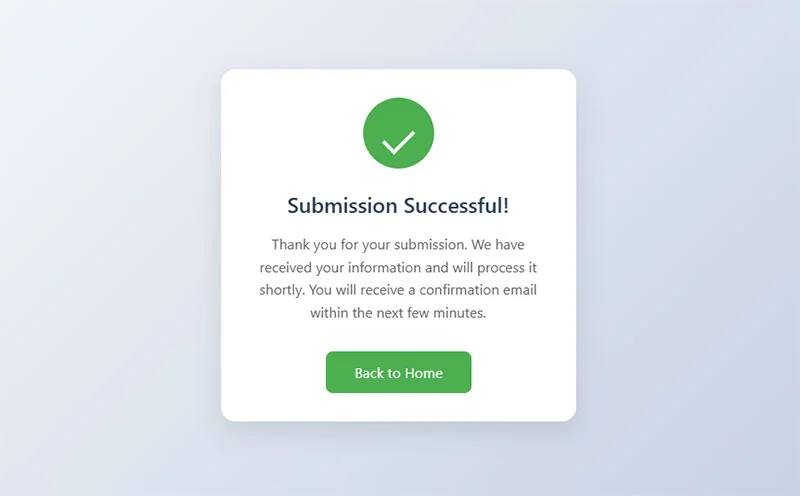
Submit every form on your site: contact, newsletter signup, checkout.
Verify confirmation messages and that emails arrive correctly.
Check error messages display accurately (e.g., Please enter a valid email address).
If you are using an e‑commerce platform, test the entire checkout flow with a test transaction.
2) Check All Links
Click every navigation item, button, and internal link. Verify external links go to the right destinations.
Use a broken link checker like W3C Link Checker to catch what you miss.
A single broken link can frustrate users and hurt credibility.
3) Test Across Browsers
Check your site on Chrome, Firefox, Safari, and Edge. Pay attention to fonts, spacing, and interactive elements.
What looks perfect in Chrome might break in Safari.
Use tools like BrowserStack or LambdaTest for efficient cross‑browser testing if you don’t have all devices.
4) Test on Real Devices
Don’t rely only on browser emulators, test on actual phones and tablets. Borrow devices from friends or family if needed.
Check that tap targets are large enough and that pinch‑zooming works as expected.
Pay attention to load times on slower networks; Ghana’s mobile networks vary, so test on 3G/4G to get a realistic picture.
5) Test Payment Flow (For E‑commerce)
Run a test transaction with a small amount then refund it.
Verify that order confirmation emails go out to both the customer and the admin.
Test abandoned cart recovery if you have enabled it.
Ensure that tax and shipping calculations are correct for Ghanaian addresses.
6) Test Login & Member Areas
Create test accounts and verify access permissions. Check password reset flows.
If you offer membership or gated content, confirm that non‑logged‑in users can’t access restricted areas.
Performance & Security
Speed and security directly impact user trust and search rankings.
1) Optimize Images
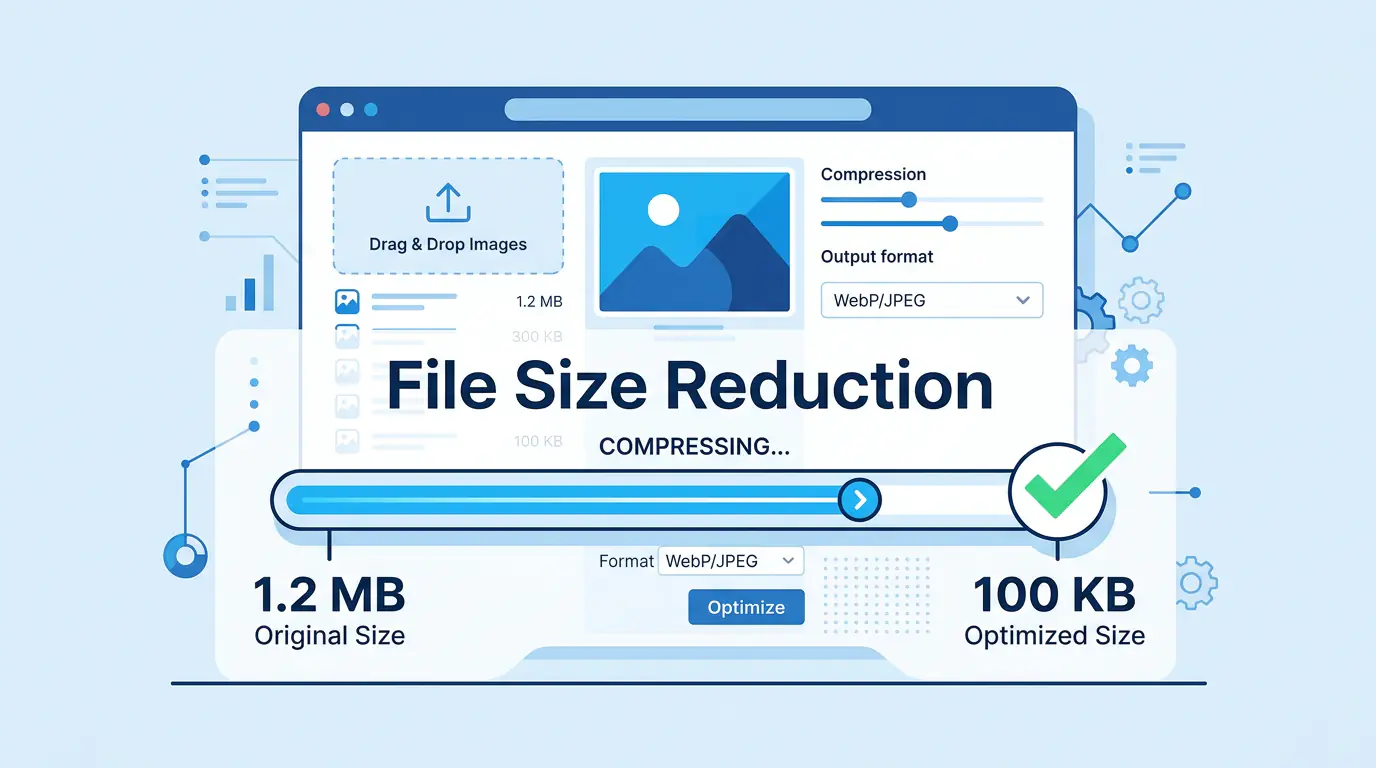
Compress images before uploading using tools like TinyPNG, ShortPixel, or ImageOptim.
Convert to modern formats like WebP for smaller file sizes, many plugins automate this.
Resize images to exact dimensions needed; uploading a 5000px photo when it’s displayed at 500px wastes bandwidth.
A typical website can reduce image storage by 50–80% with proper optimisation.
2) Enable Caching
Set up browser and page caching to speed up repeat visits.
On WordPress, caching plugins like WP Rocket, W3 Total Cache, or LiteSpeed Cache handle this.
Caching stores a static version of your pages so the server doesn’t have to rebuild them for every visitor.
For faster loading across geographic regions, consider a CDN (Content Delivery Network) like Cloudflare.
3) Minify Code
Minify CSS, JavaScript, and HTML to remove unnecessary spaces, comments, and line breaks.
This reduces file sizes and improves load times. Most optimisation plugins do this automatically.
After minifying, test your site to ensure no functionality is broken, sometimes aggressive minification can cause issues.
4) Run Speed Tests
Use Google PageSpeed Insights to check Core Web Vitals. Aim for 90+ scores on both mobile and desktop.
Test with GTmetrix for a detailed waterfall analysis showing exactly which resources are slowing you down.
Repeat tests after making changes to verify improvements.
5) Set Up Automated Backups
Schedule daily backups of both files and database.
Store backups offsite, never keep your only backup on the same server as your live site.
Use services like UpdraftPlus with Google Drive, or your hosting provider’s backup tool.
Test restoration quarterly to ensure backups aren’t corrupted. A backup is useless if you can’t restore it.
6) Install Security Tools
Use security plugins like Wordfence (WordPress) or built‑in firewall solutions offered by your host.
Enable DDoS protection if available.
Keep all software, themes, and plugins updated, most security breaches exploit known vulnerabilities that updates fix.
Change default admin usernames and use strong passwords.
Analytics & Tracking
You can’t improve what you don’t measure. Set up tracking before launch.
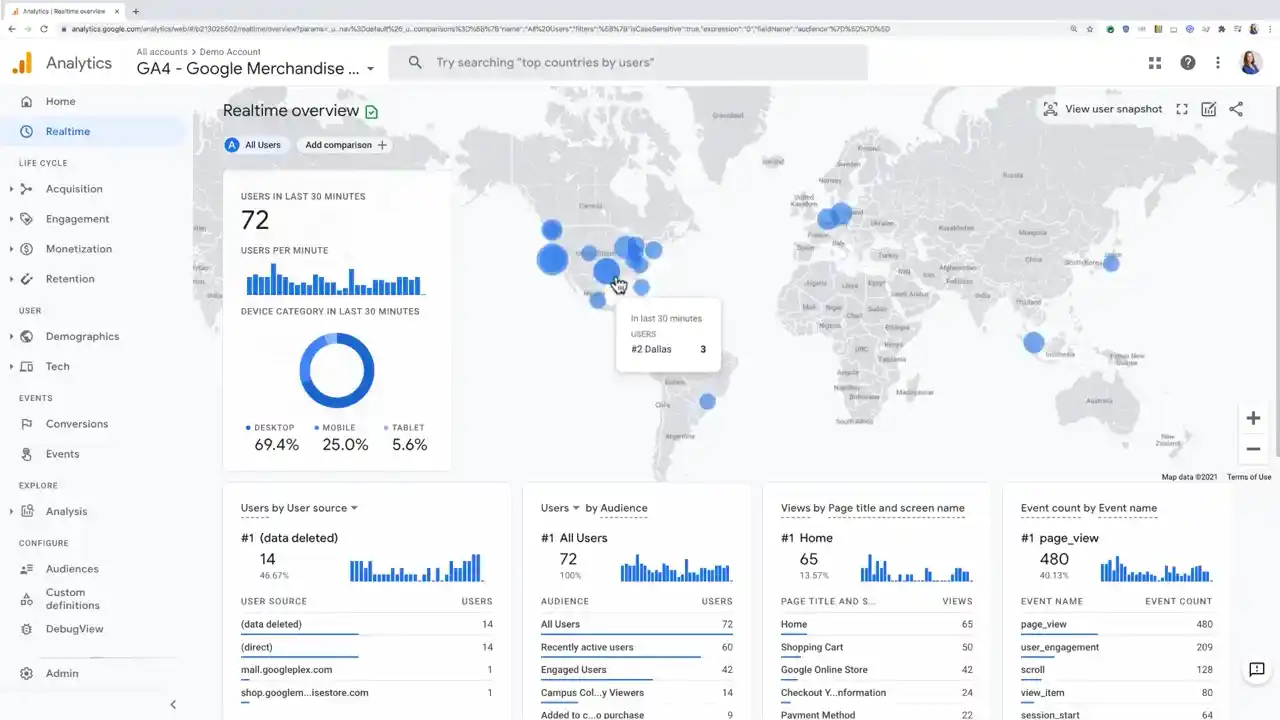
1) Set Up Google Analytics
Create a Google Analytics 4 property. Add tracking code to your site via a plugin, your theme settings, or manually.
Verify that real‑time data shows your own visits during testing. If you see no data, the tracking code isn’t firing correctly.
2) Set Up Google Search Console
Verify your site ownership in Search Console.
Submit your sitemap (usually at yourdomain.com/sitemap.xml) for indexing.
After launch, monitor for indexing issues, coverage errors, and manual actions.
3) Enable Conversion Tracking
Set up goals or key events for important actions like form submissions, purchases, and sign‑ups.
In GA4, mark these as conversions.
This tells you what is working and where to focus your efforts.
4) Add Uptime Monitoring
Use free tools like UptimeRobot to alert you when your site goes down.
Monitor from multiple global locations. A quick alert lets you respond before customers notice.
5) Configure Email Marketing Integration
Connect your forms to Mailchimp, Brevo, or your email platform.
Test that welcome emails trigger correctly and that contacts are added to the right lists.
Nothing frustrates a new subscriber like a missing confirmation email.
Final Thoughts
Launching a website the right way means following a structured process.
Skipping steps might get you online faster, but it almost guarantees problems later.
This checklist covers every critical phase from planning through post‑launch.
Go through this list once more before you hit publish. Check off each item. When you are done, you will know your site is not just live, but ready for business.
And when you are ready to host, choose a partner that makes every step easier. Truehost offers reliable hosting with free SSL, one‑click installs for WordPress and other CMS, and 24/7 local support.
Our plans scale with you, so you start small and grow without ever migrating. Give your new website the foundation it deserves today.