 Domains SearchSearch available domain names and claim yours in just a few clicks.
 .GH DomainsFind and register a trusted .gh domain for your business or idea.
 Web HostingAffordable web hosting solutions designed for performance, uptime, and scalability.
 cPanel HostingManage your website without the stress. cPanel hosting gives you everything in one place.
 Reseller HostingCreate, manage, and grow your hosting clients using reliable reseller hosting tools.
 Windows HostingWindows hosting that works smoothly with Microsoft frameworks and applications.
 Email HostingProfessional email hosting that keeps your business communication reliable and secure.
 WordPress HostingFast and secure WordPress hosting optimized for smooth performance and easy management.
 Affiliate ProgramEarn commissions by referring customers to our hosting and domain services.
 .COM Domains
 All DomainsFind the right Ghana domain for your brand and lock it in fast.
 Domain TransferMove your domain to us with a smooth, secure transfer process.
 Whois LookupCheck domain ownership and registration details instantly with our WHOIS lookup.
 SSL CertificatesSecure your website and protect your visitors with trusted SSL certificates.
 VPS HostingUpgrade to VPS hosting today and enjoy better speed, uptime, and flexibility.
 Managed VPSManaged VPS for businesses and developers who want full control without server management worries.
 Dedicated ServersGet maximum speed and reliability with dedicated servers built for serious websites and apps.
 AI Website BuilderStart your website today with our AI builder and go live in minutes.
 Online ShopStart selling online today with your own professional online shop.
 Web Design ServiceProfessional web design services that make your brand stand out online.
 Local SEO
 BlogHelpful articles, tutorials, and updates for building your online presence.
 Contact UsNeed help or more information? Connect with us anytime.
If you have ever sent an email from an address like [email protected] instead of something ending in @gmail.com, you have already seen email hosting at work.
It is the service that makes that kind of address possible, and it is one of those things that quietly runs in the background of almost every serious business.
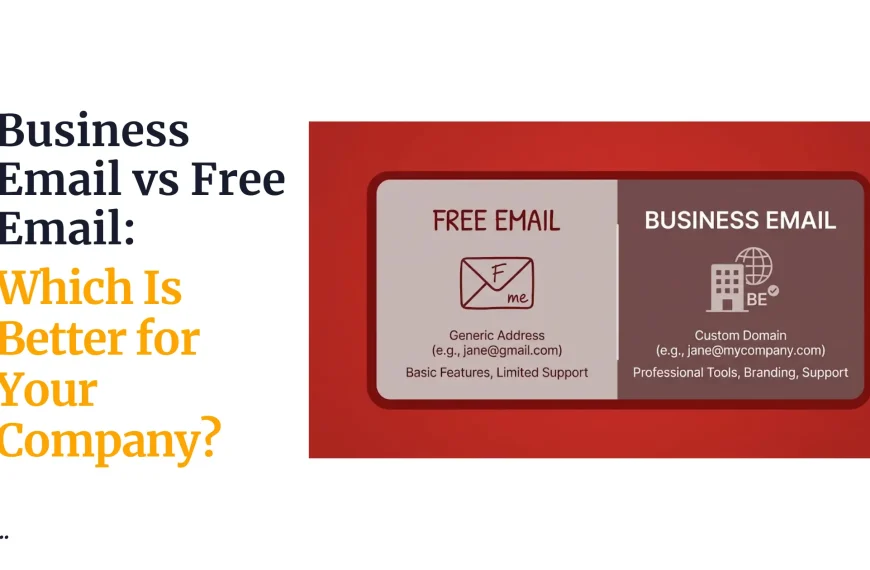
In plain terms, email hosting is a service that stores, sends, and receives email for a domain you own, rather than a domain owned by a free provider like Gmail or Yahoo.
When you sign up for a free email account, you are using space on that provider’s servers, under their domain name.
Email hosting flips that.
You bring your own domain, say yourbusiness.com, and the hosting provider gives you the servers, storage, and tools needed to run email addresses on it.
This is why businesses, organizations, and professionals lean toward addresses such as [email protected].
It looks more credible, it ties directly to the brand, and it gives a company full control over who gets an email account, how many accounts exist, and what happens when someone leaves the organization.
A free email address can work fine for personal use, but for a business trying to build trust with clients, partners, or government offices, a domain-based address usually says more than the message itself.
Email hosting can be bought as a standalone service, separate from any website, or it can come bundled with a web hosting plan.
Some providers include a basic email hosting package free with their hosting plans, while others sell it separately with its own pricing and features.
Either route gets you to the same place: professional, branded email.
The rest of this article walks through
- how email hosting actually works,
- what a typical plan includes,
- how it compares with free email,
- what it tends to cost in Ghana,
- why businesses use it,
- and how to get one set up.
How Does Email Hosting Work?
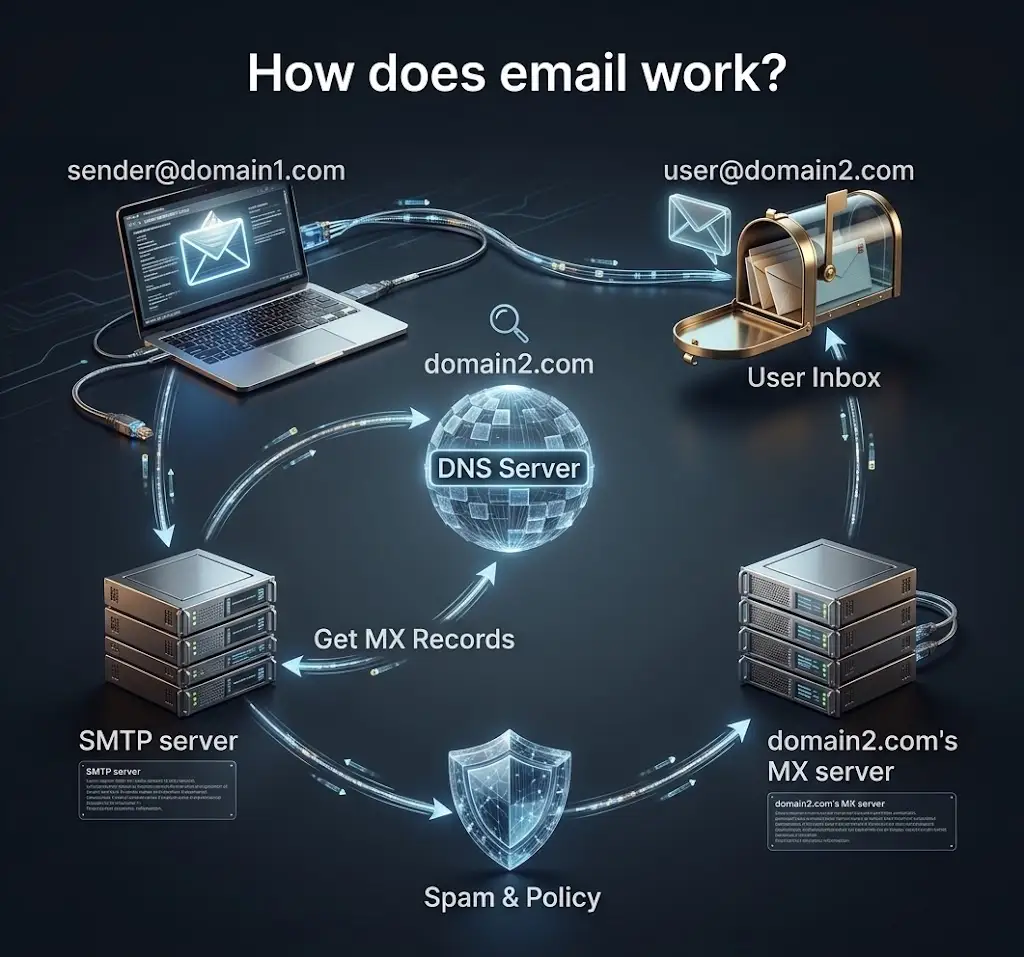
Email hosting is built from a few moving parts that work together.
None of them are especially complicated on their own, but it helps to know what each one is doing.
1) Domain name
Everything starts with your domain name.
It is the part after the @ symbol, and it is what turns a generic mailbox into a branded one.
If your domain is company.com, your email address might be [email protected].
Without a domain, there is nothing for email hosting to attach itself to, which is why registering a domain is always the first step before setting anything else up.
2) Mailbox
Once the domain is sorted, email hosting gives you the mailbox itself, the actual storage space where your messages, attachments, and folders live.
A business rarely needs just one mailbox.
You might want info@ for general enquiries, sales@ for the sales team, and support@ for customer service.
Each one is a separate mailbox with its own storage, its own inbox, and its own login, even though they all sit under the same domain.
3) Mail servers
Behind every email address are mail servers doing the actual work of moving messages around.
There are servers that handle outgoing mail and servers that handle incoming mail, and together they make sure a message leaves your outbox and lands in someone else’s inbox, wherever they are.
For incoming mail to find its way to the right server, your domain needs something called an MX record (short for Mail Exchange record).
Think of it as a signpost in your domain’s settings that tells the internet, email for this domain should be delivered here.
Without a correctly configured MX record, mail sent to your address simply will not arrive.
4) Email clients
Finally, there is the question of how you actually read and send your email day to day.
Email hosting supports access through webmail (a browser-based inbox you log into from any device), through your phone’s mail app, or through desktop programs like Outlook or Thunderbird.
Behind the scenes, this access usually runs on protocols called IMAP and SMTP.
Without going too deep into the technical weeds, IMAP is what lets you sync your inbox across multiple devices, and SMTP is what handles sending mail out.
You do not need to memorize these, but you will likely see the terms when setting up an email client for the first time.
What Does Email Hosting Include?
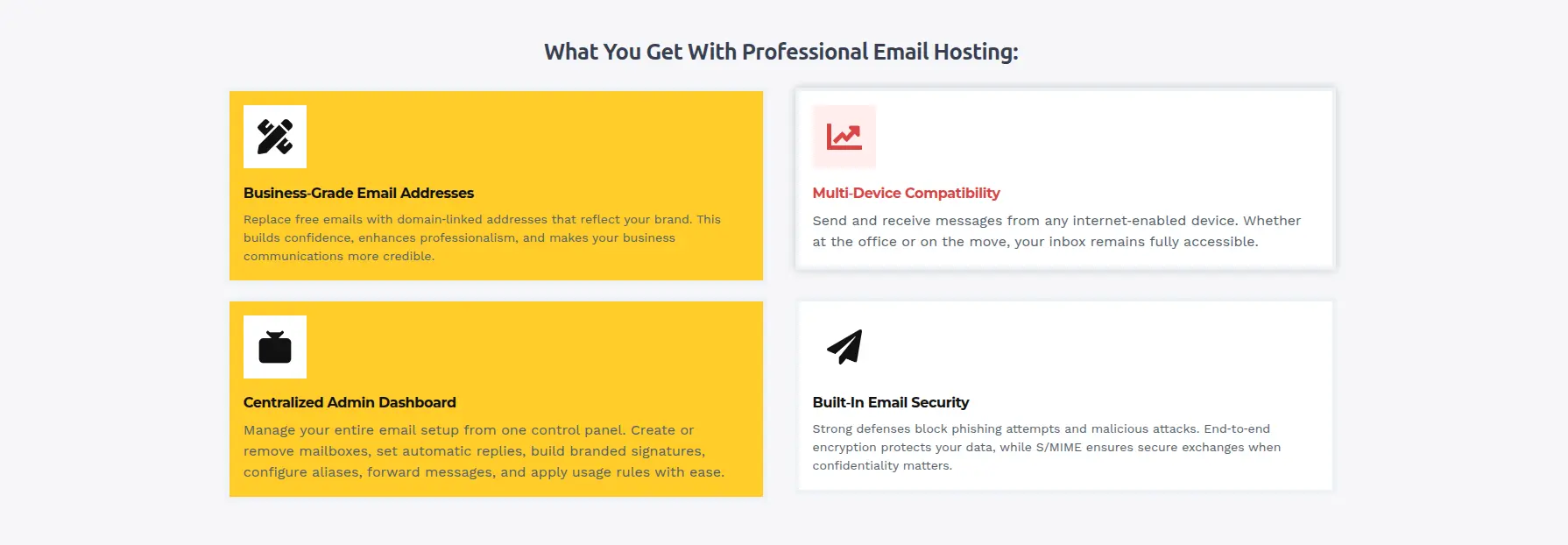
Plans differ from provider to provider, but most email hosting services are built around a similar set of features. Here is what you should generally expect:
- Custom domain email addresses, so your mail runs on yourbusiness.com rather than a free provider’s domain
- Mailbox storage, the space allocated to each account for messages and attachments
- Webmail access, a browser-based inbox you can log into from any computer
- IMAP/SMTP support, so you can connect your mailbox to phones, laptops, and desktop email apps
- Spam and malware filtering, to keep junk and dangerous attachments out of your inbox
- Email forwarding, so messages sent to one address can be redirected to another
- Auto-responders, useful for out-of-office replies or automated acknowledgments
- Multiple email accounts, so different departments or staff members can have their own addresses
- Contacts and address books, often shared or synced across devices
- Email management through a hosting control panel, where the provider offers one, letting you create, edit, or remove accounts without needing technical support
- Security features such as SSL/TLS, which encrypt the connection between your device and the mail server so messages are not exposed in transit
Not every plan includes every item on this list, especially at the cheapest end of the market, so it is worth checking what is actually bundled before you commit.
Email Hosting vs Free Email Services
It is a fair question: if Gmail is free, why pay for email at all?
The honest answer is that free personal email and paid email hosting are built for different jobs.
| Feature | Email Hosting | Free Email Service |
|---|---|---|
| Custom domain | Yes | Usually no |
| Business email addresses | Yes | Limited |
| Mailbox management | Provider-dependent | Provider-controlled |
| Storage | Depends on plan | Depends on service |
| Branding | Uses your domain | Uses provider’s domain |
| Cost | Usually paid | Often free |
| Business use | Designed for professional use | More suited to personal or general use |
One thing worth clarifying here: services like Gmail and Outlook also sell paid business email plans that give you a custom domain, similar to what a dedicated hosting provider offers.
So the real comparison in this section is between domain-based hosted email, whichever company provides it, and the ordinary free personal email accounts most people sign up for without paying anything.
Once money and a domain enter the picture, the line between free email and hosted email starts to blur, and the decision becomes more about features, support, and price than about brand names.
How Much Does Email Hosting Cost in Ghana?
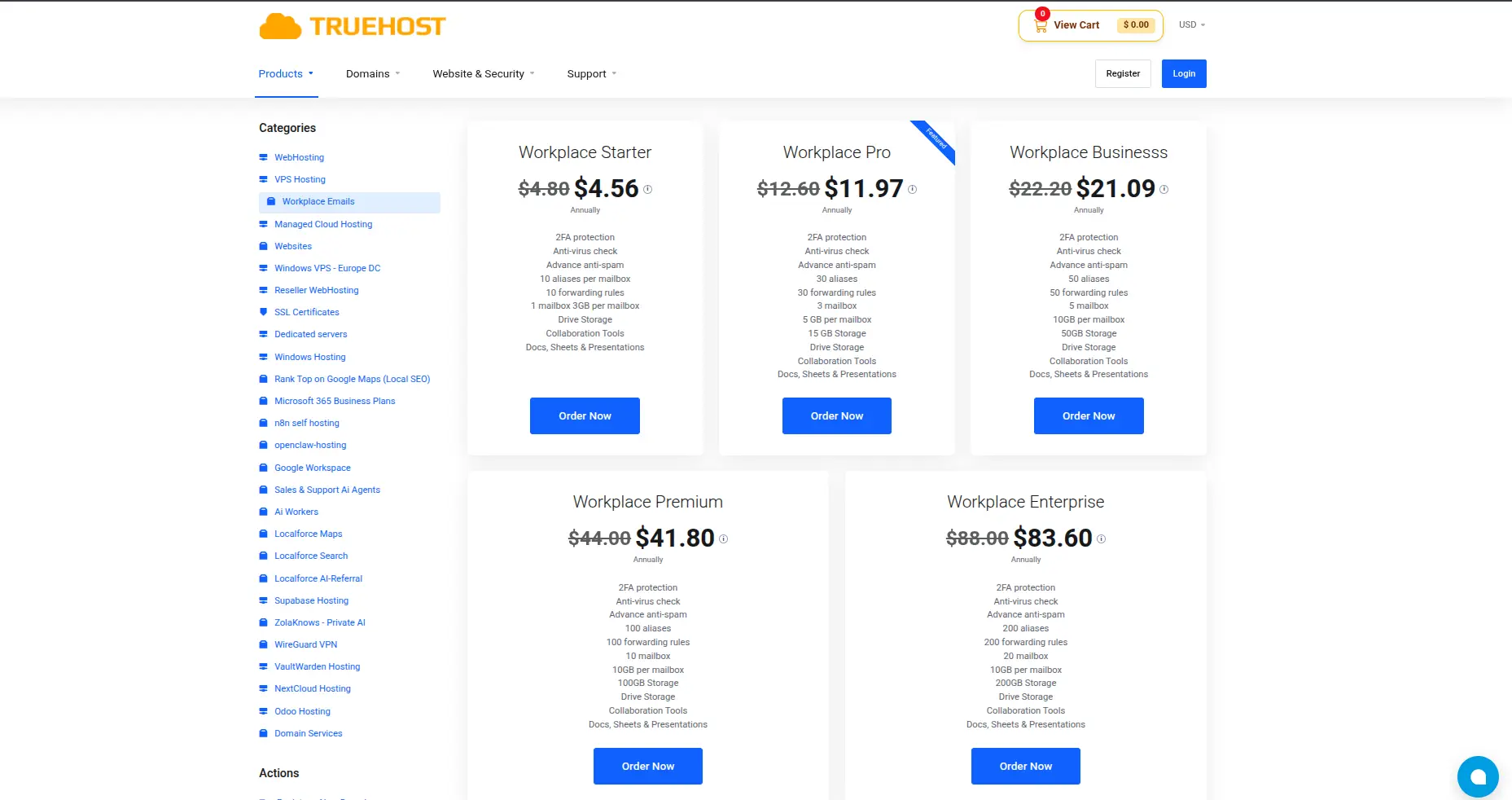
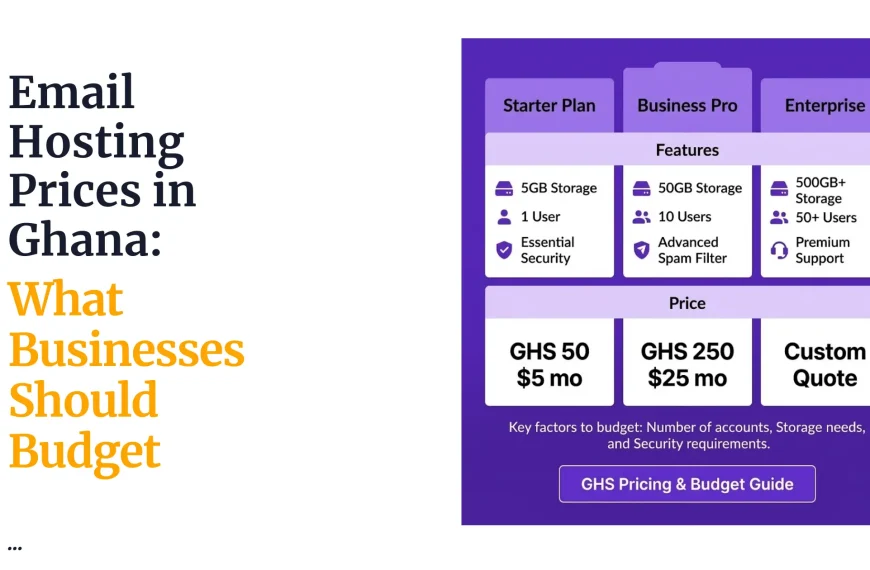
Pricing for email hosting is rarely a flat number, and a few factors tend to push it up or down:
- Number of mailboxes you need, since some plans charge per mailbox and others offer a set number within a bundle
- Storage per mailbox, with larger inboxes for teams that handle attachments and images costing more
- Billing cycle, whether you pay monthly, annually, or on a longer cycle, since longer commitments often come with a discount
- Security features, such as advanced spam filtering, malware scanning, or two-factor authentication
- Backup options, including whether your provider keeps daily or scheduled backups of your mail
- Additional productivity features, like shared calendars, document storage, or collaboration tools bundled alongside the mailbox
Truehost offers email hosting plans starting at N/A per year built around these same variables, with mailbox counts, storage per account, and billing terms varying by plan.
It is also worth resisting the temptation to judge an entire provider by a single headline price.
Email hosting plans differ in mailbox limits, storage, and included features, so the cheapest plan on paper is not always the best fit once you factor in how many people actually need an account and how much storage they will realistically use.
Why Use Email Hosting for a Business?
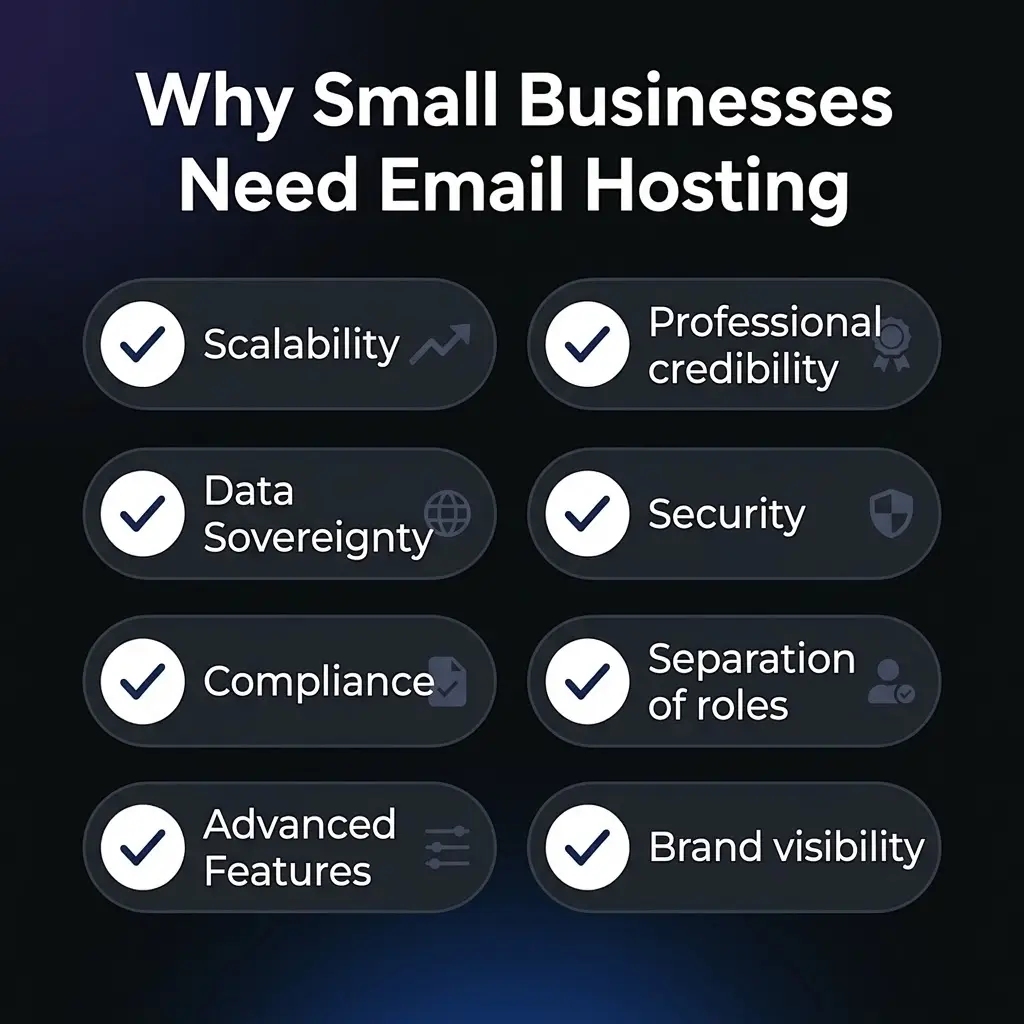
1) Professional email addresses
An address on your own domain reads very differently from one on a free provider.
Clients and partners tend to take a business more seriously when its email matches its website and its brand, rather than ending in a generic domain that anyone could have signed up for.
2) Separate addresses for different departments
A single shared inbox gets messy fast once a business grows past a person or two.
Separate addresses like sales@, support@, accounts@, and info@ let messages route to the right team automatically, and they make it obvious to a customer exactly who they are writing to.
3) Centralized email management
With hosted email, an administrator can create new accounts when someone joins, remove accounts when someone leaves, and adjust settings across the board from one place.
That is a lot cleaner than chasing down personal email accounts scattered across different staff members.
4) Better control over business communication
Because domain-based accounts sit within the organization’s own infrastructure, there is more oversight over how communication happens, who has access to what, and how data is retained or recovered if something goes wrong.
5) Easier brand consistency
When every employee’s email address ends in the same domain, it reinforces the brand every time someone sends a message.
It is a small detail, but it adds up over hundreds of emails sent each week.
6) Room to grow
A hosted email setup scales more easily than juggling personal accounts.
Adding a new hire, a new department, or a new regional office usually just means creating another mailbox, not restructuring how the whole business communicates.
7) A step toward credibility with institutions
In Ghana, as in many places, dealing with government bodies, banks, or larger corporate clients often means being taken more seriously when your communication comes from a proper business domain rather than a free personal account.
How to Set Up Email Hosting
Getting email hosting running does not need to turn into a long technical project. At a high level, the process usually looks like this:
- Register a domain. This is the foundation everything else builds on, whether it is a .com, a .com.gh, or another extension.
- Choose an email hosting plan. Pick one based on how many mailboxes you need and how much storage makes sense for your team.
- Create your email accounts. Set up the specific addresses you need, such as info@, sales@, or individual staff addresses.
- Connect the domain to the email service. If your domain and your email hosting are with different providers, this step links the two together.
- Configure the required DNS or MX records. This tells the internet where to deliver mail addressed to your domain.
- Access the mailbox through webmail or an email client. Log in through a browser, or set the account up on your phone or desktop mail app.
- Test sending and receiving messages. Send a test email to and from the new address to confirm everything is working before you rely on it for real business communication.
To be clear about what email hosting actually gives you: it provides the domain-based accounts and the underlying infrastructure needed to send, receive, and store your business messages reliably.
It is a close cousin of web hosting, which stores and serves your website, but the two are not the same thing.
You can have email hosting without a website, and in some setups you can have a website without email hosting on the same account.
Many providers simply bundle both together for convenience.
If you are in Ghana and want to move away from a free, generic email address toward something that actually represents your business, the next practical step is picking a domain and a provider that can support it properly.
Truehost’s email hosting plans are built with exactly that kind of setup in mind, giving you the mailboxes, storage, and management tools needed to run professional email addresses on your own domain.