 Domains SearchSearch available domain names and claim yours in just a few clicks.
 .GH DomainsFind and register a trusted .gh domain for your business or idea.
 Web HostingAffordable web hosting solutions designed for performance, uptime, and scalability.
 cPanel HostingManage your website without the stress. cPanel hosting gives you everything in one place.
 Reseller HostingCreate, manage, and grow your hosting clients using reliable reseller hosting tools.
 Windows HostingWindows hosting that works smoothly with Microsoft frameworks and applications.
 Email HostingProfessional email hosting that keeps your business communication reliable and secure.
 WordPress HostingFast and secure WordPress hosting optimized for smooth performance and easy management.
 Affiliate ProgramEarn commissions by referring customers to our hosting and domain services.
 .COM Domains
 All DomainsFind the right Ghana domain for your brand and lock it in fast.
 Domain TransferMove your domain to us with a smooth, secure transfer process.
 Whois LookupCheck domain ownership and registration details instantly with our WHOIS lookup.
 SSL CertificatesSecure your website and protect your visitors with trusted SSL certificates.
 VPS HostingUpgrade to VPS hosting today and enjoy better speed, uptime, and flexibility.
 Managed VPSManaged VPS for businesses and developers who want full control without server management worries.
 Dedicated ServersGet maximum speed and reliability with dedicated servers built for serious websites and apps.
 AI Website BuilderStart your website today with our AI builder and go live in minutes.
 Online ShopStart selling online today with your own professional online shop.
 Web Design ServiceProfessional web design services that make your brand stand out online.
 Local SEO
 BlogHelpful articles, tutorials, and updates for building your online presence.
 Contact UsNeed help or more information? Connect with us anytime.
Every website you visit, be it that it is a local Ghanaian business listing, an online shop, or a global news site, is stored on and delivered by web servers.
Yet most website owners in Ghana don’t fully understand what a web server actually does or how it affects site performance, security, and reliability.
If you have ever wondered why your site loads slowly during peak hours, what happens behind the scenes when someone clicks a link, or how to choose the right hosting for your audience, you are in the right place.
This guide breaks down web servers in plain language: what they are, how they work, the different types, and what to consider when picking one for your Ghana‑based website.
By the end, you will have a clear picture of the technology that keeps your site running.
What Is a Web Server?
A web server is not a single thing, it is a partnership between hardware and software, working together to store, process, and deliver web pages to anyone who asks for them.
Imagine a high‑end computer that never sleeps, always listening for visitors, ready to respond the instant someone types your domain.
That is the hardware side.
The software side is the intelligent conductor that interprets each request, fetches the right files, and sends them back in a language your browser understands.
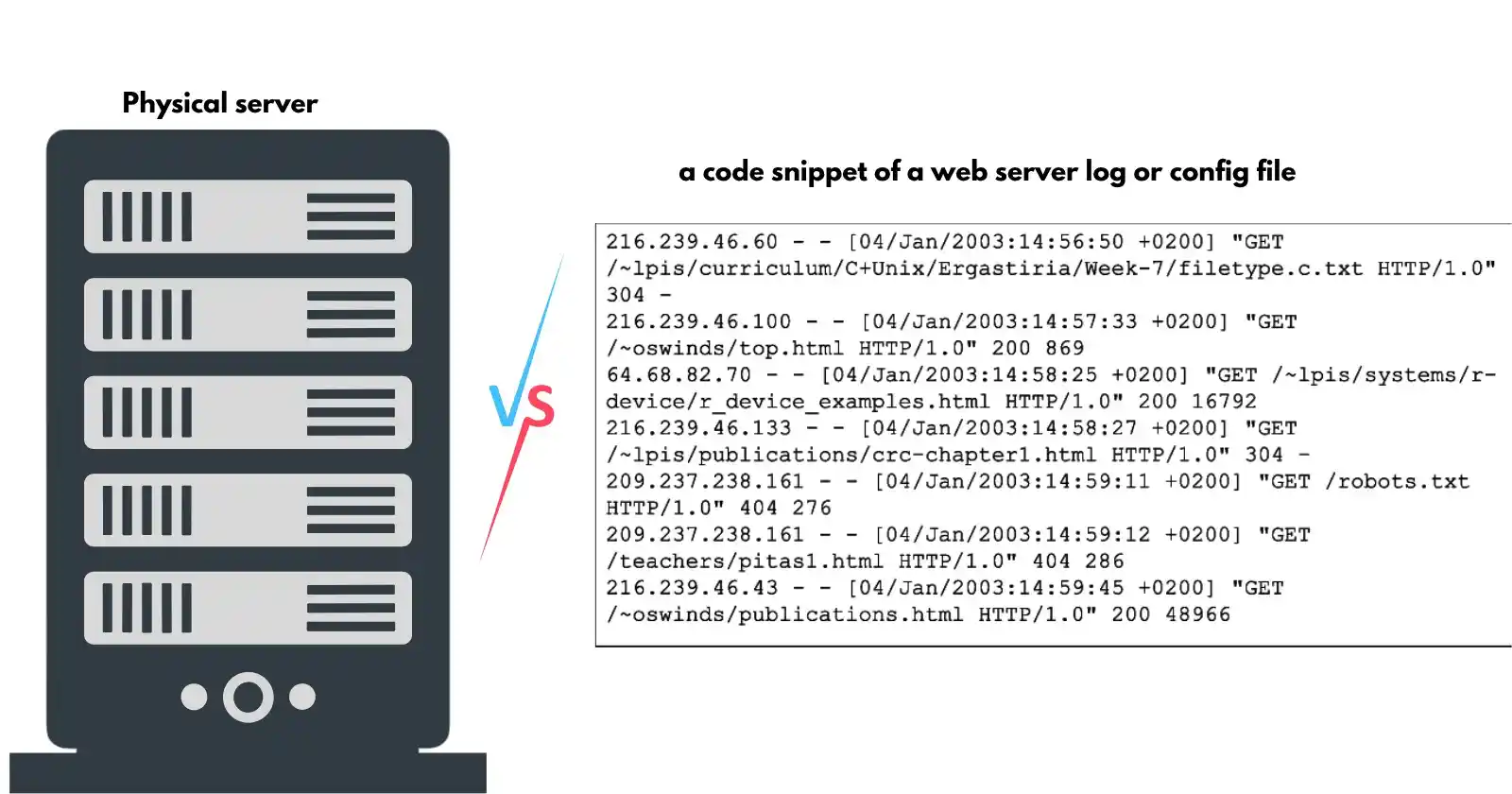
Hardware Side
Physically, a web server is a powerful computer, or often a virtual slice of one, built for one purpose: to serve content 24 hours a day, seven days a week.
It houses all the pieces of your website:
- the HTML structure,
- the CSS that makes it look good,
- the JavaScript that adds interactivity,
- and every image, video, and downloadable file.
Unlike your office computer, a web server is engineered for continuous operation with redundant power supplies, heavy‑duty cooling, and network connections that can handle thousands of simultaneous visitors.
Most servers live in secure data centres, stacked in rows with strict climate control and multiple layers of physical and digital security.
These data centres are often placed strategically around the world to keep latency low for specific audiences.
Software Side
On top of this hardware runs web server software, programs like Apache, Nginx, or LiteSpeed.
Their job is to listen for incoming requests, understand the HTTP (or HTTPS) protocol, and decide how to respond.
When a visitor clicks a link, the software receives that request, translates the URL into a path on the server.
And either serves a static file directly or hands the request to an application layer (like PHP or Python) that builds a custom page.
The software also handles security, compresses files to speed up transfer, manages caching to avoid repeated work, and can balance traffic across multiple servers.
In simple terms, when someone types your domain, the web server is the engine that delivers the page they see.
How Web Servers Work
Loading a website is a rapid, orderly conversation between your browser and the web server.
Here is how it happens, step by step.
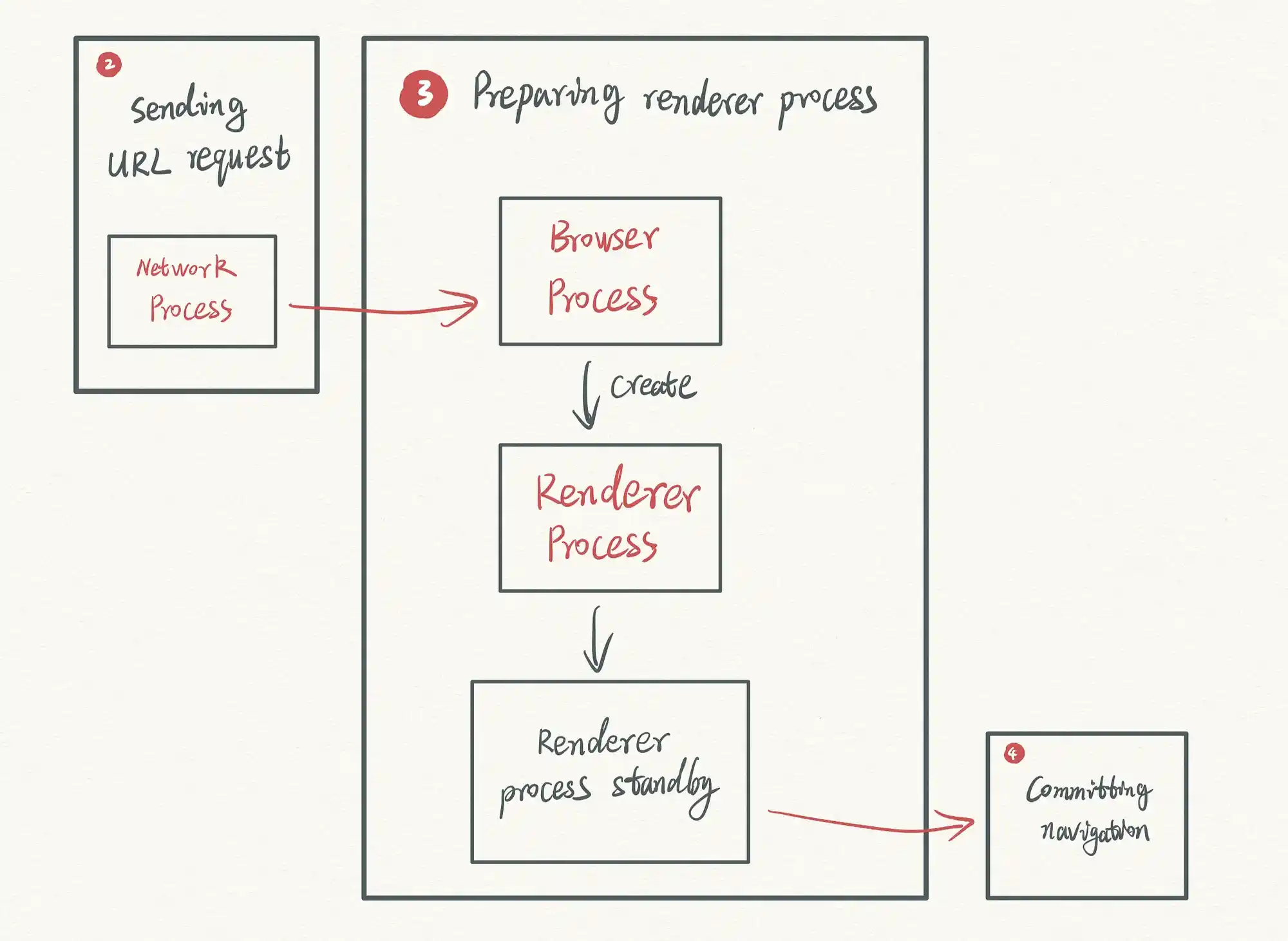
Step 1: DNS Lookup
Your browser doesn’t know that yourbusiness.com.gh leads to a specific computer.
It needs an IP address, a numeric label like 192.0.2.1. So it asks a DNS resolver to translate the domain.
This background lookup happens in milliseconds, but if the DNS records are wrong or propagation hasn’t finished, the conversation ends before it starts.
Step 2: Establish Connection
Once the browser has the IP address, it opens a connection to the server on a specific port:
- port 80 for standard HTTP,
- or port 443 for secure HTTPS.
For HTTPS sites, there is an extra step called an SSL/TLS handshake, where the browser and server exchange certificates and agree on encryption methods.
This handshake adds a fraction of a second but ensures that every bit of data traveling between them is private and tamper‑proof.
Step 3: Send HTTP Request
With the connection open, the browser sends a request that looks something like this:
GET /index.html HTTP/1.1
Host: yourbusiness.com.gh
User-Agent: Mozilla/5.0 ...
This simple text tells the server exactly what it wants (the /index.html file), which version of HTTP to use, and additional details like the browser type and preferred language.
Step 4: Server Processes and Responds
The web server receives the request and figures out what to do.
If the file is static, like an image or a plain HTML page, the server reads it from disk and sends it back immediately.
If the page is dynamic, say, a WordPress post, the server passes the request to an application server (PHP, Python, Ruby, etc.).
That application might query a database, stitch together content, and generate the final HTML.
The web server then wraps that content in an HTTP response, complete with a status code like 200 OK (success) or 404 Not Found (missing), and sends it back to the browser.
Step 5: Browser Renders Page
The browser receives the HTML and starts parsing it.
Almost instantly, it discovers that it needs additional resources, CSS files for styling, JavaScript for interactivity, images, fonts, and fires off new requests for each.
Modern browsers can make many of these requests in parallel to speed things up.
Once all the pieces arrive, the browser assembles them into the complete, interactive page the user sees.
All of this, from DNS lookup, connection, request, response to rendering, happens in a fraction of a second.
For a single web page, dozens of these mini‑conversations may occur, each retrieving a different resource.
It is a finely choreographed dance that repeats with every click.
Static vs Dynamic Web Servers
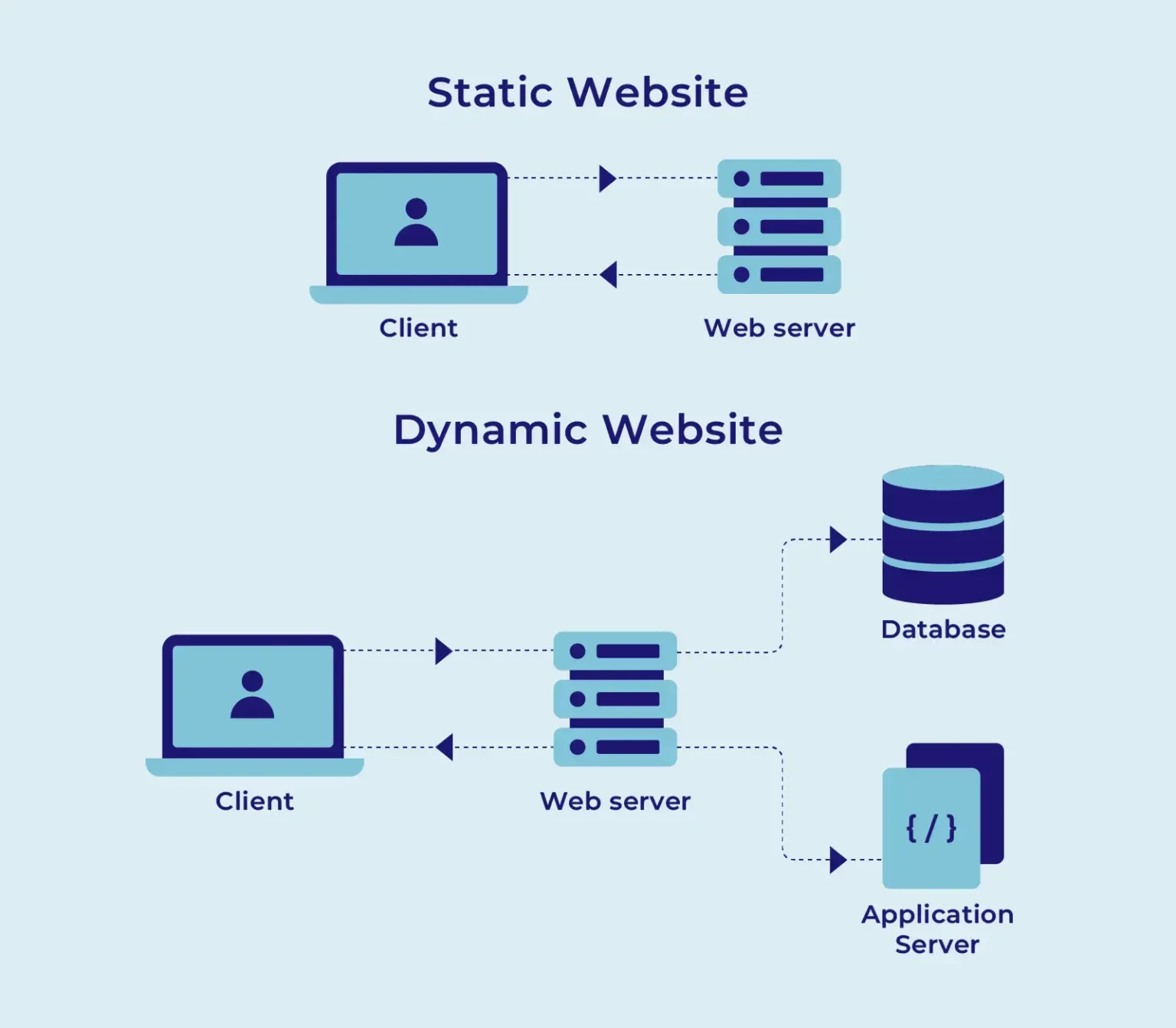
Not all websites are served the same way. The distinction between static and dynamic content affects speed, scalability, and complexity.
Static web servers simply deliver files as they are stored.
There is no database, no application layer, just a direct read from disk.
This makes them blindingly fast.
A static server can handle huge traffic spikes with minimal resources because there is no code to run per request.
Examples include simple HTML brochures, portfolio sites, documentation pages, or blogs built with static site generators like Hugo, Jekyll, or Eleventy.
Dynamic web servers combine a web server with an application server (PHP, Python, Node.js, Ruby) and a database.
They build pages on‑the‑fly, personalising content for each visitor.
This flexibility comes at a cost: every request may trigger database queries and code execution, which is slower than static delivery.
Caching layers can help, but dynamic servers require more memory and CPU.
Common examples are WordPress sites, e‑commerce platforms (WooCommerce, Magento), membership sites, and custom web applications.
A hybrid approach is increasingly popular.
Modern frameworks like Next.js, Nuxt, Gatsby, or SvelteKit can pre‑render static pages while still fetching dynamic content client‑side.
This gives you the speed of static with the flexibility of dynamic, perfect for sites that need both performance and interactivity.
For instance, a product catalogue could be pre‑built as static pages, while the shopping cart remains dynamic.
Hardware Components of a Web Server
The physical hardware behind a web server directly influences how fast and reliably your site runs.
The different parts include:
- CPU (Processor):
The brain of the server.
It handles every calculation, from running the web server software to executing PHP scripts.
More cores mean the server can process more requests at the same time.
For busy sites, a fast CPU with a high clock speed is essential.
Servers often use multi‑core Xeon or Ryzen processors designed for non‑stop operation.
- RAM (Memory):
This is where active processes live, the web server software, PHP workers, database queries, and cached data.
More RAM lets the server handle more concurrent visitors without slowing down.
For a dynamic site like WordPress, having sufficient RAM can dramatically reduce response times.
- Storage Drives:
Every file your site uses must be read from a drive.
NVMe SSDs are the fastest; they deliver data almost instantly, which is critical for media‑heavy sites.
Traditional HDDs are still used for backups but rarely for serving live content because they are much slower.
- Network Connection:
A web server is only as fast as its link to the internet.
High‑bandwidth connections ensure that visitors can download files without bottlenecks.
Data centres in West Africa reduce latency because the physical distance to your audience is shorter.
- Operating System:
The foundation that runs everything.
Linux (Ubuntu, CentOS, etc.) dominates the web server world because it is stable, secure, and free.
Windows Server is used mainly for sites that rely on Microsoft technologies like ASP.NET or MSSQL.
Popular Web Server Software
The software that runs on the hardware determines how efficiently your site is served. Here are the most common options, each with its own philosophy and strengths.
1) Apache HTTP Server
Apache HTTP Server is the elder statesman of web servers, the most widely used software on the internet.
Its strength lies in flexibility.
Apache can be extended with hundreds of modules, and it supports .htaccess files, which let you override configuration settings on a per‑directory basis.
This makes it a favourite for shared hosting environments where users need control without touching the main server config.
If your site needs broad compatibility or fine‑grained access control, Apache is a reliable choice.
2) Nginx
Nginx takes a different approach.
Instead of creating a new process for each connection, it uses an event‑driven architecture that handles thousands of connections with minimal memory.
This makes it incredibly fast for serving static files, images, CSS, JavaScript, and it often sits in front of Apache as a reverse proxy, passing dynamic requests through.
Nginx powers some of the busiest sites on the web (Netflix, Dropbox) because it handles concurrency so efficiently.
3) LiteSpeed
LiteSpeed (and its free open‑source sibling, OpenLiteSpeed) is a commercial server that has earned a reputation for exceptional PHP performance.
It is often 5× faster than Apache.
It includes built‑in caching, HTTP/3 support, and can replace Apache entirely while reading .htaccess files.
Many managed WordPress hosts choose LiteSpeed because it dramatically speeds up dynamic sites without complex configuration.
If you run a WordPress site, an online store, or any PHP‑based application, LiteSpeed is a top contender.
4) Caddy
Caddy is the new‑school option, designed around simplicity and security.
Its standout feature is automatic HTTPS: it obtains and renews SSL certificates from Let’s Encrypt without any manual work.
Configuration is minimal, often a single file, making it perfect for developers who want a secure, low‑maintenance server.
While it is not as feature‑rich as Apache or Nginx for large deployments, it is ideal for small projects or personal sites where you want to focus on your code rather than server administration.
The Bottom Line
A web server is the invisible engine that powers every website you visit.
It is a combination of specialised hardware and intelligent software that works tirelessly to deliver your content to the world.
Whether you choose Apache for its flexibility, Nginx for its speed, or LiteSpeed for its PHP performance.
Knowing how these components work together puts you in control of your online presence.
Ready to get a web server that is optimised for Ghana? Truehost offers hosting solutions with LiteSpeed servers, free SSL, and both local and global data centres to keep your site fast and secure.
Explore some of our best server plans and give your website the foundation it deserves.

